8
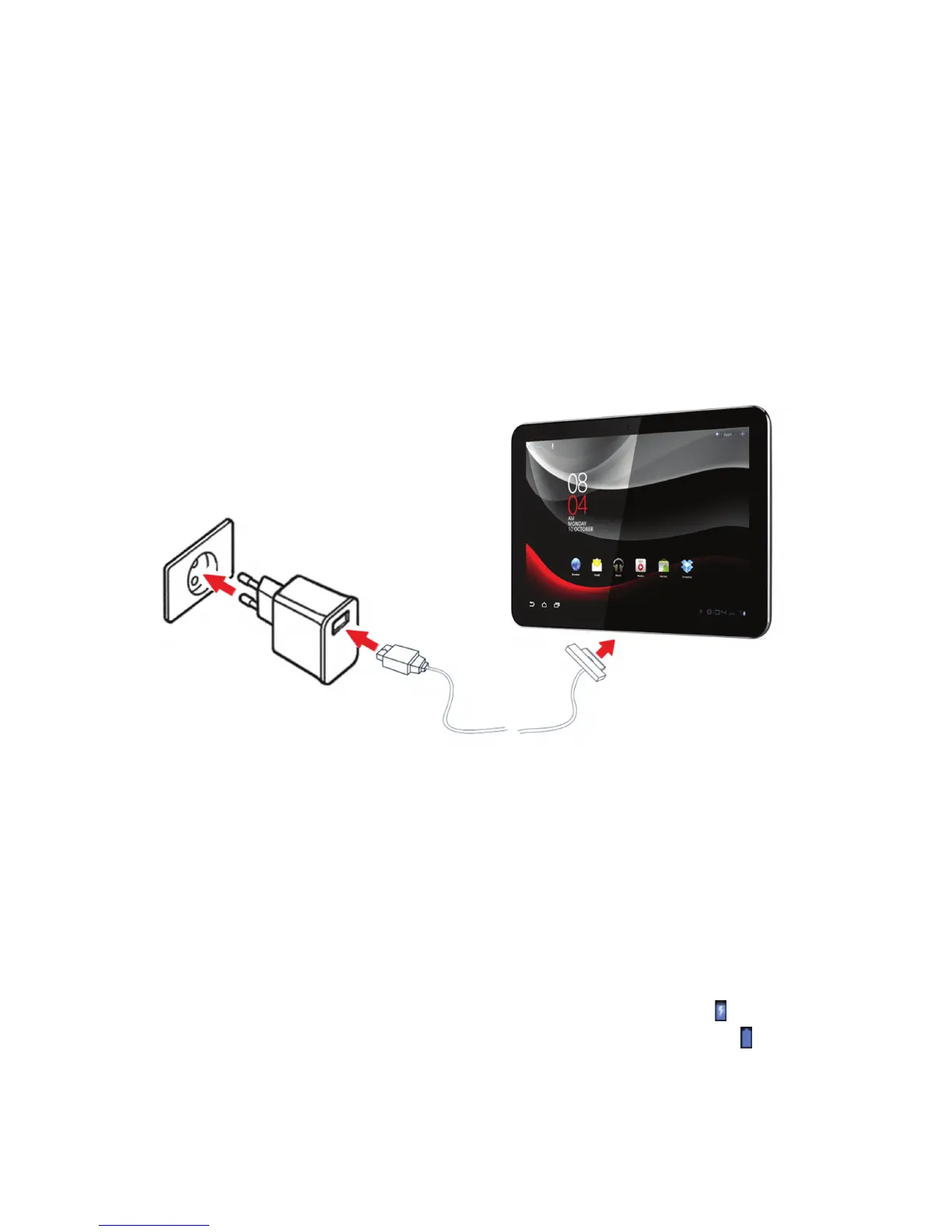
Charging your Vodafone Smart Tab
Notes:
•
The new battery is not fully charged. For the first time usage, you should
charge the battery.
•
The 40-pin connector is a connector used for data transfer and charging.
Your device has a built-in battery. To charge the battery, you have to:
1. Connect the PC data cable to USB adapter.
2. Connect the PC data cable to Smart Tab via the 40-pin connector.
3. Connect the USB adapter to a standard AC wall outlet.
Notes:
•
The shape of USB power adapter may differ according to your different region.
•
The PC data cable connects the USB power adapter with the USB connector
on one end and the Smart Tab with the 40-pin connector on the other end.
4. Disconnect the charger when the battery is fully charged.
Notes:
•
If the battery is low, there will be a pop-up message on the screen.
•
Touch the status bar to check the battery status.
•
If the device is powered on and the battery is charging, the icon will appear
on the status bar. When charging is completed, the battery indicator appears
on the status bar.



 To Next Page