66
Using options during a call
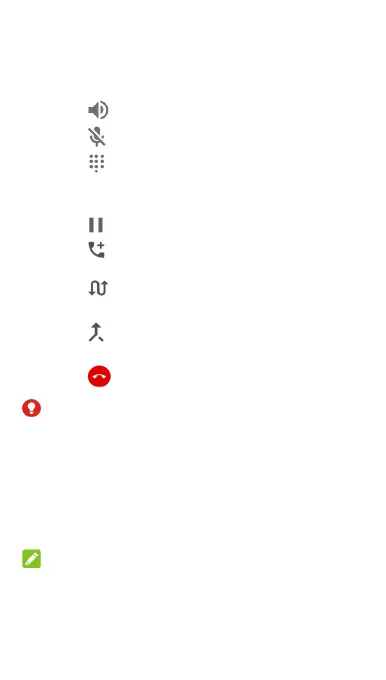
During a call, you will see a number of onscreen options.
Touch an option to select it.
Touch
to turn on or off the speaker.
Touch
to mute or unmute your microphone.
Touch
to switch to the keypad when you need to
enter a code (for example, the PIN for your voicemail or
bank account) during the call.
Touch
to put the call on hold.
Touch
to make another call separately from the first
call, which is put on hold.
Touch
to put the caller you are speaking to on hold,
and switch to the other call that has been put on hold.
Touch
to merge the separate calls into a single
conference call.
Touch
to end the current call.
WARNING!
Because of higher volume levels, do not place the phone
near your ear during speakerphone use.
Managing multi-party calls
When the call waiting and three-way call features are
available, you can switch between two calls or set up a
conference call.
NOTE:
The call waiting and three-way call features need network
support and may result in additional charges. Please contact
your Vodafone service provider for more information.



 To Next Page