84
Camera
You can use your phone to take photos and record videos.
Photos and videos are stored in the phone storage. You can
copy them to your computer or access them in the Gallery
app.
Capturing a photo
1. From the home screen, touch .
NOTE:
You can quickly open the camera when the phone is in
sleep mode or in the lock screen by double-pressing
either end of the Volume key. To use this feature, touch
on the camera screen and switch on Camera quick
launch.
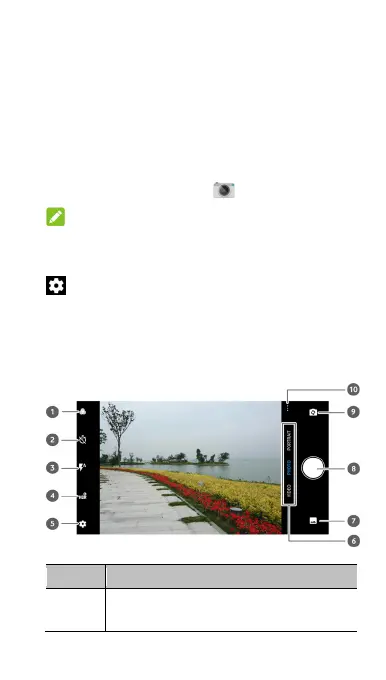
2. Aim the camera at the subject and make any necessary
adjustment. PHOTO (auto camera) mode is used by
default.
Number Function
1
Use the filter to select a colour effect or other
special effects.



 To Next Page