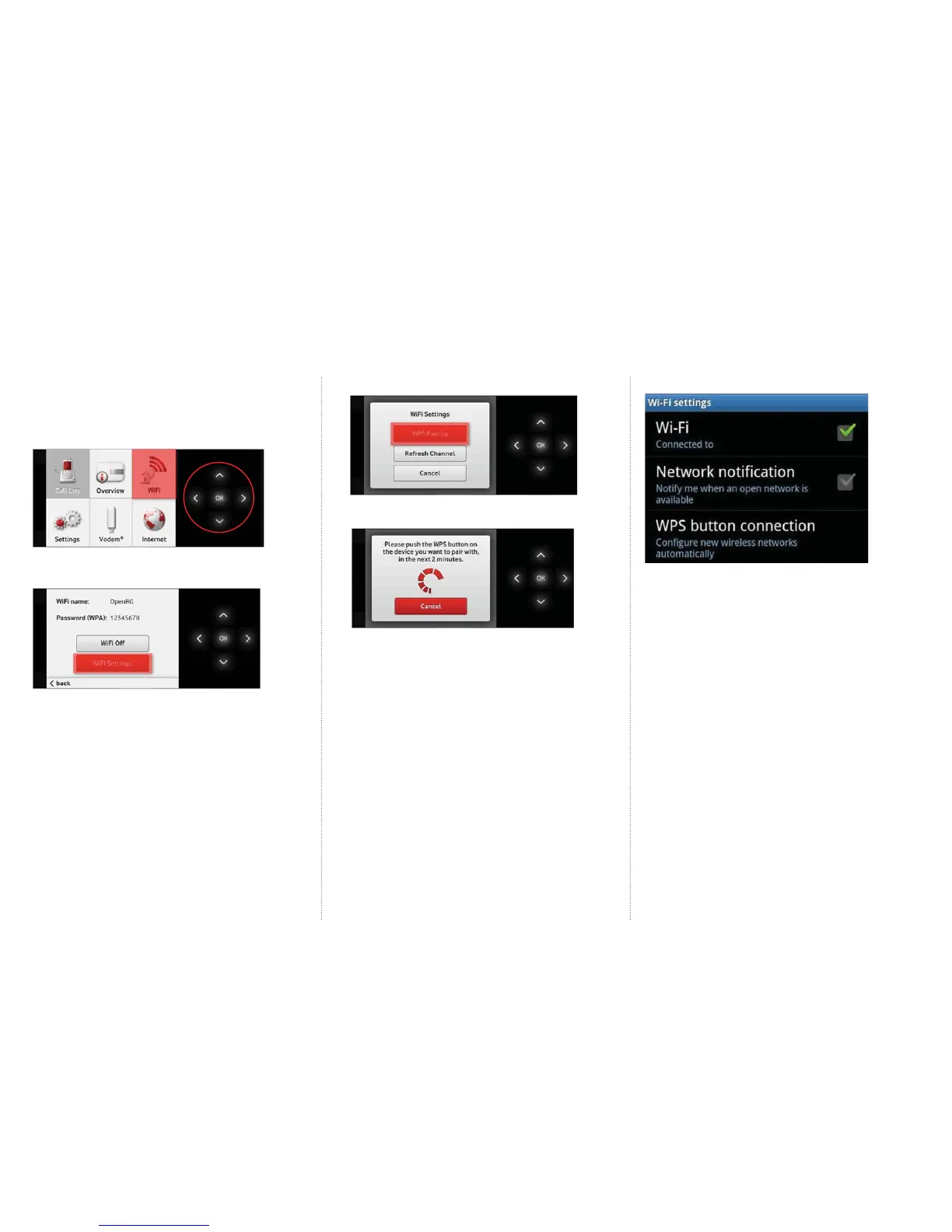
Enable the WPS (WiFi Protected Setup) function
Alternatively, if you want to connect a device via WiFi but don’t
want to have to enter the WiFi password you can connect using WPS.
1. Navigate to the WiFi menu by pressing the arrow keys on
the LCD screen of the Vodafone Station.
2. Select OK.
3. Select WiFi Settings.
6. Push the WPS button on the device you wish to connect.
Example of an Android mobile phone
4. Under WiFi Settings select WPS Pairing.
5. The Vodafone Station’s WPS will now be active for 2 minutes.



 To Next Page