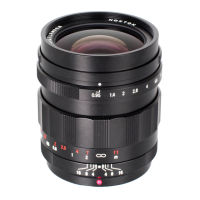
The Voigtlander COLOR-SKOPAR 18mm F2.8 Aspherical X-mount lens is an interchangeable lens designed exclusively for Fuji X-mount cameras, covering the APS-C frame size. This manual focus lens features mechanical interlocking manual apertures and is optimized for the X-mount sensor. It boasts a highly rigid and durable all-metal lens barrel, ensuring longevity and precise focusing.
Function Description:
The lens is designed for manual focus operation, allowing photographers precise control over their images. Its mechanical interlocking manual aperture system provides tactile feedback and traditional control. Data communication functions are facilitated via electronic contacts, which reflect lens data in the Exif information of the captured images. A built-in distance encoder enables the use of the camera's focus check function and distance index bar, aiding in accurate focusing. Furthermore, the lens supports Fuji X-mount models equipped with an in-body image stabilization function, helping to reduce camera shake and produce sharper images.
Important Technical Specifications:
- Product Name: COLOR-SKOPAR 18mm F2.8 Aspherical
- Focal Length: 18mm
- Maximum Aperture: F2.8
- Minimum Aperture: F22
- Lens Construction: 5 groups, 7 elements
- Angle of View: 75.4°
- Aperture Blades: 10
- Minimum Focus: 0.17m
- Macro Ratio: 1:6.6
- Filter Size: Ø43mm
- Maximum Diameter: Approx. Ø59.3mm
- Length: Approx. 23.5mm
- Weight: Approx. 115g
- Mount: X-mount
- Aperture Ring: Available (Manual Setting) with 1/3 stop increments
- Electric Contacts: Available
- Exif Data: Available
- Focus Check: Available
- In-body Camera Shake Correction Function: Possible (only on camera bodies with Image Stabilization)
- Supplied Accessory: Front Cap, Rear Cap, Lens Hood, Hood Cap
- Corresponding Shooting Mode: A [Aperture priority], M [Manual]
Usage Features:
- Attaching/Detaching the Lens: Users should refer to their camera's instruction manual for specific procedures. It is crucial to set the camera's power to "OFF" before attaching or detaching the lens. To prevent damage, hold the Depth of Field Scale (⑪) when mounting or unmounting the lens, rather than other parts of the lens barrel.
- Attaching Lens Hood: The Lens Hood (①) screws directly onto the threads on the lens.
- Attaching Filter: A Ø43mm filter screws into the front of the lens. If using the Lens Hood (①) with a filter, the lens hood screws into the thread of the filter. It is important not to screw the filter into the thread of the Depth of Field Ring (⑪), as this may cause vignetting.
- Camera Body Settings for Electronic Communication Compatible Models:
- Firmware: Ensure the camera's firmware is up-to-date to fully utilize the lens's performance and functions.
- Aperture Display Setting: The camera's initial aperture value display is often set to "T value." Changing this to "F value" will align the display with the aperture value shown on the lens. Even if left as "T value," the Exif data will display the "F value."
- Depth of Field Scale Setting: Setting the camera body's depth of field scale to "Film reference" will ensure that the depth scale engraved on the lens matches the depth range displayed on the camera body.
- Camera Body Settings for Models Not Supporting Electronic Communications: For cameras without electronic communication support, set "[Release without lens]" to "ON" in the camera settings to enable shooting.
- Exif Data Storage: The lens allows image files to store Exif data, including lens name (VOIGTLANDER COLOR-SKOPAR 18mm F2.8), focal length (18mm), maximum aperture (F2.8), and the aperture value used for the picture.
- Focus Check: When the "Focus Check" function is enabled on the camera body, rotating the focus ring will automatically enlarge the live view display, aiding in precise manual focusing. This enlarged view can be canceled by pressing the camera's shutter button halfway down.
- Distance Display: As the focus ring is rotated, a numerical guideline for the distance to the focus position is displayed on the screen. Users can switch the "distance index during MF" on or off and adjust MF assist in the camera body settings.
- Image Stabilization: The lens supports the "camera shake" correction function, which can be toggled "ON / OFF" via the camera body settings. This feature is particularly beneficial for handheld shooting in challenging conditions.
Maintenance Features:
- General Care: To prevent injury or damage to the lens, users should always handle the equipment carefully.
- Eye Safety: Never look directly at the sun through the lens, as this can cause severe eye damage.
- Child Safety: Keep the lens, camera, and all accessories out of the reach of children.
- Storage: Store the lens away from direct sunlight and always with the lens cap on. Failure to do so may create a fire hazard due to the lens's light-focusing properties.
- Cleaning: Avoid touching the lens surface directly. For cleaning dirt or dust, use commercially available lens cleaners or an appropriate lens cleaning cloth.

 Need help?
 General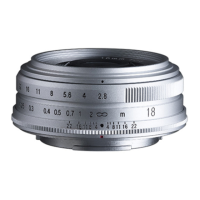

 To Next Page