7
Adjust the brakes on S7 SMART for correct
functionality
The braking effect can
be set using the cable
adjusters on the under-
neath of the frame.
1. Release the parking
brake by moving the
lever upright.
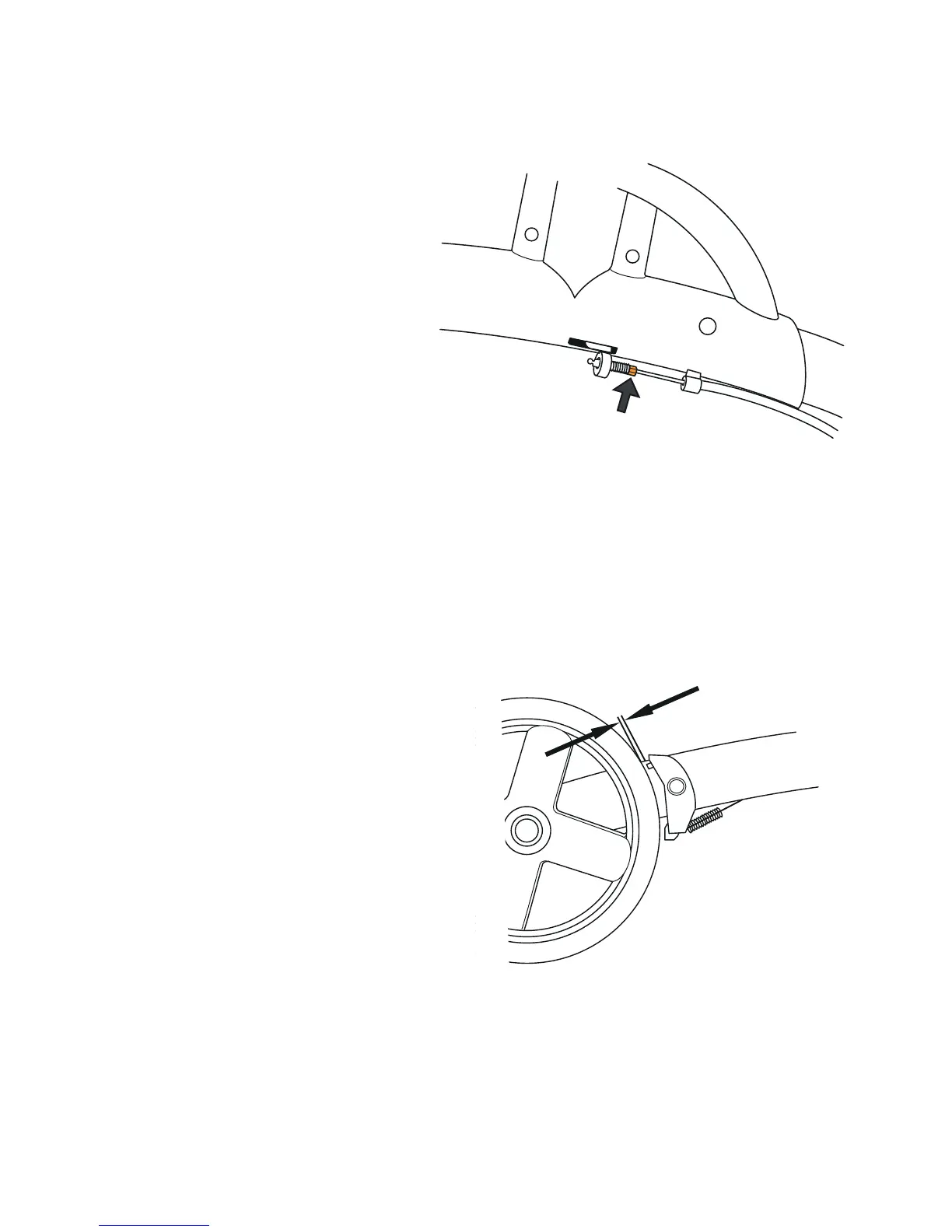
2. Turn the threaded
adjuster shown in the
drawing. You can turn it with your ngers or with a small
adjustable spanner.
3. Screw the adjustment screw outwards to increase the
braking effect. Screw the adjustment screw inwards to
decrease the braking effect.
4. Check the distances between the brake shoes and the
wheels. The distance
should be about 2 mm.
If you set the shoes too close,
the parking brakes will be
unnecessarily hard to apply.
2 mm


 To Next Page