This document provides a comprehensive user manual for the Volcan Energon300, a portable power station designed for various applications. It covers safety precautions, product features, operational guidelines, charging instructions, troubleshooting, package contents, and warranty information.
Function Description
The Energon300 is a versatile power station equipped with multiple output ports, including AC, USB-C (bidirectional and unidirectional), USB-A Quick Charger, car charger output, and DC5521 output. It features a LiFePO4 battery system known for its longevity and safety. The device's LCD screen provides real-time information on battery capacity, remaining usage time, input power, and output power consumption. It also displays error codes to indicate specific fault information.
Key indicators on the LCD screen include:
- Charge Column Indication of Battery: Displays the current battery capacity as a charge column.
- Charging Indication: Indicates when the battery is charging.
- 12V DC Output Indication: Shows that the 12V DC port output is active.
- USB-A Output Indication: Shows that the USB-A port output is active.
- USB-C Output Indication: Shows that the USB-C port output is active.
- AC Output Indication: Shows that the AC port output is active.
- Power-saving Mode: Indicates when power-saving mode is enabled.
- Battery Capacity Percentage: Displays the current battery capacity as a percentage.
- Error Indication: Appears when the battery fails.
- Power Display, Frequency Display, Error Code: Normally displays input and output power and frequency; an error code appears for specific faults.
The device incorporates various protection functions to ensure safe operation, including over-voltage, over-load, low temperature, high temperature, over-temperature, undervoltage, short circuit, over-current, and balance protection.
Usage Features
Power On/Off:
- To turn on the device, long-press the power button for 3 seconds. The display will show active functions (DC/USB-C&USB/AC).
- Quick-start mode: Connecting a USB-C or USB-A charging cable will automatically start the system. The system will automatically shut down after detecting no load for 10 minutes.
- Manual shutdown: Manually turn off all outputs. The display will stop showing active functions, and the product will shut down.
Output Port Activation:
- Short press the AC button to enable the AC function; the corresponding AC icon will light up.
- Short press the DC button to enable the DC function; the corresponding DC icon will light up.
- USB-A and USB-C ports have an automatic wake-up function; the indication icon will light up when a device is plugged in.
- Turn the dial switch to enable the power-saving mode.
Power-saving Mode:
- When power-saving mode is OFF and AC is enabled, the device will stay powered on for 8 hours to charge low-power appliances. If a load is detected after 8 hours, it continues to work; otherwise, it automatically shuts down.
- With power-saving mode ON, the AC output will be disabled, and the device will shut down after 2 hours if under low power load.
Charging the Product:
The Energon300 can be charged via multiple methods:
- AC adapter: Approximately 3 hours for a full charge (10.8-26V/5A, 100W max).
- Solar panel: Approximately 3.5 hours for a full charge (10.8-26V, 100W max, supports MPPT).
- Car charger: Supports 12V/24V, 100W max.
- AC adapter + USB-C port: Approximately 2 hours for a full charge (160W max).
- USB-C port: Approximately 5 hours for a full charge (60W max).
The battery is fully charged when all battery level segments stop blinking and remain solid. It is recommended to unplug charging cables after a full charge to prevent overcharging, though the device is designed to handle it. The actual solar panel charging efficiency can vary based on weather, ambient temperature, sunlight strength, and panel angle. It is recommended to use solar panels with an open circuit output voltage of 10.8-23.5V.
Automatic Shutdowns:
- Overload shutdown: If the output exceeds the overload protection power, the port will disable output and can only be rebooted after removing the overload.
- Low battery shutdown: The product automatically shuts down when the battery is low and can be turned on after recharging.
- Over temperature shutdown: The product shuts down if it exceeds the allowable temperature range. In this case, place the product in a ventilated environment at room temperature until it returns to normal operating temperature.
Maintenance Features
General Care:
- Keep the product away from heat sources, liquids, strong static/magnetic environments, and dusty areas.
- Avoid collision, dropping, or severe vibration. If subjected to severe external collision, turn off the power supply immediately and stop using the product.
- Do not disassemble the product or pierce it with sharp objects.
- Use a dry cloth to clean dirt off product ports.
- Place the product on a flat surface to prevent falling. If it flips over and is severely damaged, turn it off, place it in an open area away from people or flammable materials, and dispose of it according to local laws.
- Keep the product away from children and pets.
Storage:
- When storing the product, turn it off first and store it in a dry, ventilated place at room temperature, away from water sources.
- For long-term storage, it is recommended to charge the battery to 80% every three months to prolong its life.
Disposal:
- Ensure the battery is fully discharged before disposing of it in a designated battery recycling bin.
- The product contains potentially hazardous chemicals, so it is strictly prohibited to dispose of it in ordinary trash cans. Follow local laws and regulations for battery recycling and disposal.
- If the battery cannot be fully discharged due to product failures, contact a professional battery recycling authority.
- Over-discharged batteries cannot be recharged and should be disposed of.
Warranty:
Volcan provides a 24-month warranty from the date of purchase for products bought through regular channels. Customers need to provide proof of purchase for warranty service. The warranty covers inherent quality problems or manufacturing defects. If a product cannot be repaired, a replacement product (not lower than the original's performance) will be provided, with the warranty period being the remaining period of the original product's warranty.
The warranty does not cover:
- Products purchased through informal channels or non-authentic products.
- Giveaways and optional accessories.
- Normal appearance wear and tear.
- Misuse, abuse, accidental damage, or intentional damage.
- Unauthorized disassembly and repair.
- Problems caused by improper use or storage not in accordance with the manual's requirements.
- Damage caused by natural disasters (lightning, earthquake, tsunami, etc.).

 Need help?
 General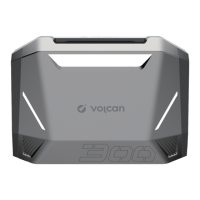

 To Next Page