EasyManua.ls Logo

volkano Barrel Series - User Manual

volkano Barrel Series
14 pages
Print Icon
To Next Page IconTo Next Page
Loading...
DC5V
AUX
USB
TF
Please fully charge the Barrel Speaker before using it for the
first time.
Connect the USB A end of the Charging Cable to a USB Charging
Port and insert the Micro USB end to the port on the Barrel. Make
sure it is properly connected. The red indicator light will be lit while
the Barrel is charging. When the battery is full, the red indicator
light will switch off automatically.
To turn on, press the Power Button. The speaker will play the
start-up audio tone. To turn off, press the Power Button.
The Power Button and the Mode Button will blink repeatedly
with a white light when the Barrel is powered on.
Pairing with Bluetooth Devices
Your speaker must be paired to a Bluetooth device before it can
be used. It is only necessary to pair your speaker once with each
device.
1. Open the Bluetooth Menu on the device you wish to pair. Some
devices require you to select Search for devices or Add new
device in order to create a Bluetooth pairing.
2. With the speaker turned off press the Power Button.
Navigate to Bluetooth Mode by pressing the Bluetooth
Button. If the speaker is not already in Bluetooth Mode,
the speaker will play a pairing voice prompt while awaiting a
Bluetooth connection.
IDENTIFYING PARTS
CHARGING
INSTRUCTION MANUAL
Please read and retain these instructions for future reference
.
• Bluetooth
• Speakerphone
Aux Input
SD Card Input
USB Input
FM Radio
Passive Woofers
Up to 6 Hours Playtime
• 35 W Peak Power
Volkano Barrel Series Bluetooth Speaker
USB Charging Cable
Instruction Manual
Aux Cable
Shoulder Strap
HIGHLIGHTS
INSTRUCTIONS FOR USE
Barrel Series
FABRIC
SPEAKER
1. Micro USB Charging Port
2. Aux Input
3. USB Port
4. Micro SD Card Slot
5. LED Indicator Light (Charging)
6. Bluetooth Button
7. Previous Song / Previous Station / Volume Down Button
8. Power Button
9. Mode Button
10. Next Song / Next Station / Volume Up Button
11. LED Indicator Light (Power)
12. Play / Pause / Answer Call / Auto Scan Button
2 3 4
VK-3410
PACKAGE CONTENTS
5
SPECIFICATIONS
Bluetooth:
Version: 4.2
Chipset: JL
Profiles: HFP / HSP / A2DP / AVR
Range: 10 m
Sensitivity: 85 dB
Charge Input: 5 V DC, 1 A
Power: 2 x 12W = 24 W RMS / 35 W Peak
Battery Capacity: 3 600 mAh
Charge Time: 4 – 6 hours
Battery Type: Lithium-Ion
Playback Time: 4 – 6 hours
Maximum Size for USB Drive: 64 GB
Driver: 2 x 3
Impedance: 4 Ω
Signal to Noise Ratio: 90 dB
Frequency Response: 80 Hz – 20 kHz
FM Radio Range: 87.5 – 108.8 MHz
5
1 2 43
6 7 8 9 10 11 12
6
3. Wait until you see “Barrel” on your device screen.
4. Select “Barrel” on your device and follow any further prompts
to pair. Once pairing is complete, the speaker will play a short
tone and will be ready to play audio via Bluetooth. The blue
indicator light will blink at a slower rate when pairing is complete.
Note: If you are unsure on how to access your Bluetooth
menu on
your device, please refer to your device’s instruction manual.
Locating the Bluetooth Menu
iPhone, iPad, and iPod Touch
a) On your device, go to Settings.
b) Select Bluetooth. If Bluetooth
is not on, turn it on.
c) The iPhone / iPad / iPod will automatically search for new devices
Android™ Phones and Tablets
a) On your device, go to the Settings Menu.
b) Select Bluetooth (on older Android devices Bluetooth is
found in the Wireless & Networks Menu). If Bluetooth is not
on, turn it on.
c) Select “Search for devices” if your phone or tablet does not
automatically search for new devices.
Connecting with Paired Devices
Once the speaker is switched on, it will automatically connect with
the last paired Bluetooth device that is on and within range. If the
speaker does not connect automatically, open the Bluetooth Menu
on your device and select “Barrel” from the Bluetooth device list.
7
Android™ Phones and Tablets
a) On your device, go to the Settings Menu.
b) Select Bluetooth (on older Android devices Bluetooth is
found in the Wireless & Networks Menu). If Bluetooth is not
on, turn it on.
c) Select “Search for devices” if your phone or tablet does not
automatically search for new devices.
Connecting with Paired Devices
Once the speaker is switched on, it will automatically connect with
the last paired Bluetooth device that is on and within range. If the
speaker does not connect automatically, open the Bluetooth Menu
on your device and select “Barrel” from the Bluetooth device list.
Controls
Function Operation
Increase Volume Long press the Next Song
/ Next Station / Volume Up
Button
Decrease Volume Long press the Previous
Song / Previous Station /
Volume Down Button
Navigate to Next Track Short press the Next Song
/ Next Station / Volume Up
Button
Navigate to Previous Track Short press the Previous
Song / Previous Station /
Volume Down Button
To navigate between the USB, Micro SD, Bluetooth and Aux Modes
short press the Mode button.

Question and Answer IconNeed help?

Do you have a question about the volkano Barrel Series and is the answer not in the manual?

Overview

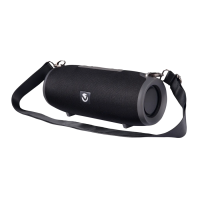
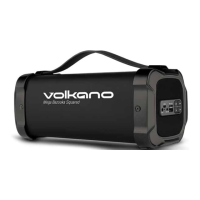
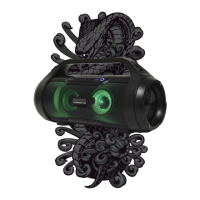
This document is an instruction manual for the Volkano Barrel Series Fabric Speaker, model VK-3410. It provides details on the speaker's features, specifications, usage instructions, and safety precautions.

Function Description:

The Volkano Barrel Series Fabric Speaker is a portable Bluetooth speaker designed for audio playback and hands-free calling. It offers multiple input options, including Bluetooth, Aux, SD Card, and USB, and also features an FM radio. The speaker is equipped with passive woofers for enhanced bass and includes a speakerphone function for calls. It comes with a shoulder strap for easy portability.

Important Technical Specifications:

  • Bluetooth Version: 4.2
  • Bluetooth Chipset: JL
  • Bluetooth Profiles: HFP / HSP / A2DP / AVR
  • Bluetooth Range: 10 meters
  • Sensitivity: 85 dB
  • Charge Input: 5 V DC, 1 A
  • Power Output: 2 x 12W = 24 W RMS / 35 W Peak
  • Battery Capacity: 3600 mAh
  • Charge Time: 4 – 6 hours
  • Battery Type: Lithium-Ion
  • Playback Time: 4 – 6 hours
  • Maximum Size for USB Drive: 64 GB
  • Driver: 2 x 3"
  • Impedance: 4 Ω
  • Signal to Noise Ratio: 90 dB
  • Frequency Response: 80 Hz – 20 kHz
  • FM Radio Range: 87.5 – 108.8 MHz

Usage Features:

The speaker offers a variety of usage modes and controls:

Power On/Off:

  • To turn on, press the Power Button (①). The speaker will play a start-up audio tone.
  • To turn off, press the Power Button (①).
  • The Power Button and Mode Button (M) will blink repeatedly with a white light when the Barrel is powered on.

Charging:

  • Connect the USB A end of the charging cable to a USB charging port and the Micro USB end to the port on the Barrel.
  • A red indicator light will be lit during charging and will switch off automatically when the battery is full.

Bluetooth Pairing:

  • Ensure the speaker is off, then press the Power Button (①).
  • Navigate to Bluetooth Mode by pressing the Bluetooth Button (BT). If not already in Bluetooth Mode, the speaker will play a pairing voice prompt.
  • Open the Bluetooth Menu on your device (e.g., iPhone, iPad, iPod Touch: Settings > Bluetooth; Android: Settings Menu > Bluetooth).
  • Search for "Barrel" on your device and select it to pair.
  • Once paired, the speaker will play a short tone, and the blue indicator light will blink at a slower rate.
  • The speaker will automatically connect with the last paired Bluetooth device when switched on, if the device is within range.

Controls (General):

  • Increase Volume: Long press the Next Song / Next Station / Volume Up Button (+).
  • Decrease Volume: Long press the Previous Song / Previous Station / Volume Down Button (-).
  • Mode Button (M): Short press to navigate between USB, Micro SD, Bluetooth, and Aux Modes.

Controls (Bluetooth & USB Mode):

  • Navigate to Next Track: Short press the Next Song / Next Station / Volume Up Button (+).
  • Navigate to Previous Track: Short press the Previous Song / Previous Station / Volume Down Button (-).
  • Play / Pause Track: Short press the Play / Pause / Answer Call / Auto Scan Button (►II).
    • Note: These buttons do not work in Aux Mode.

Controls (FM Radio):

  • Increase Volume: Long press the Next Song / Next Station / Volume Up Button (+).
  • Decrease Volume: Long press the Previous Song / Previous Station / Volume Down Button (-).
  • Navigate up through saved channels: Short press the Next Song / Next Station / Volume Up Button (+).
  • Navigate down through saved channels: Short press the Previous Song / Previous Station / Volume Down Button (-).
  • Auto Station Scan: Short press the Play / Pause / Answer Call / Auto Scan Button (►II). This will store found stations into the selected channel.

Controlling Phone Calls:

  • Answer Incoming Call: Short press the Play / Pause / Answer Call / Auto Scan Button (►II).
  • Reject Incoming Call: Press and hold the Play / Pause / Answer Call / Auto Scan Button (►II) for 2 seconds.
  • End Call in Progress: Short press the Play / Pause / Answer Call / Auto Scan Button (►II).

Aux Mode:

  • Plug an Aux Cable into the aux input on the back of the speaker and the other end into your audio device.
  • Note: Only volume controls work in Aux Mode.

FM Radio Mode:

  • Press the Mode Button (M) to toggle the speaker into FM Radio Mode.

Micro SD Card Mode:

  • Insert a Micro SD Card into the Micro SD Card Slot. The speaker will automatically enter Micro SD Card Mode.

USB Mode:

  • Insert a USB Flash Drive into the USB Port. The speaker will automatically enter USB Mode.

Troubleshooting:

  • Smartphone cannot find new Bluetooth devices: Ensure pairing mode is active and the device is within range.
  • Bluetooth device cannot pair: Ensure smartphone allows new connections and has not reached the maximum number of allowed devices.
  • Device does not play music or answer calls: Ensure smartphone supports A2DP and HSF (Hands-Free) profiles and is within range.
  • Windows asks for a new driver: Find compatible drivers online.
  • Cannot remotely control Play/Pause/Next/Previous: Ensure the paired Bluetooth device supports AVRCP (Audio / Video Remote Control Profile).

Maintenance Features:

The manual provides safety precautions and warranty information, which are crucial for the longevity and safe use of the device.

Safety Precautions:

  • Never use the speaker near water or in areas where it can come into contact with water.
  • Do not handle the speaker if it was dropped into water or any other liquid.
  • Ensure hands are dry before touching the plug or power connections.
  • Do not operate the speaker with a damaged cord or plug, or if it malfunctions, has been dropped, or damaged.
  • The speaker is not intended for use by children or persons with reduced physical, sensory, or mental capabilities without supervision.
  • Children should be supervised to ensure they do not play with the speaker.
  • Packaging should be kept out of reach of children.

Warranty:

  • The Volkano Barrel Series speaker comes with a standard 12-month limited warranty against manufacturing defects and faults.
  • Proof of purchase (till slip or invoice) is required for exchange or repair.
  • The warranty commences from the date of purchase.
  • The warranty does not apply to products that have failed due to excessive wear and tear, misuse, neglect, accidental damage (including acts of God like fire or flooding), or use contrary to instructions in the manual.
  • Returned products must comply with the warranty and the store's Returns Policy.
  • For further assistance, contact the store of purchase.

Environmentally Friendly Disposal:

  • Do not dispose of electrical appliances as unsorted municipal waste.
  • Use separate collection facilities.
  • Contact local government for information on collection systems.
  • Improper disposal can lead to hazardous substances leaking into groundwater, affecting health and well-being.

volkano Barrel Series Specifications

General IconGeneral
Brandvolkano
ModelBarrel Series
CategorySpeakers
LanguageEnglish

Related product manuals