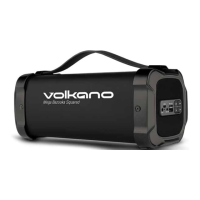
EasyManua.ls Logo

volkano Cobra Series - User Manual

volkano Cobra Series
10 pages
Print Icon
To Next Page IconTo Next Page
Loading...
INSTRUCTION MANUAL
Please read and retain these instructions for future reference.
VK-3454-BK
V1.1
Cobra Series
TRUE WIRELESS
WITH RGB LIGHTS & FM RADIO
BLUETOOTH SPEAKER
TA-2018/2044
APPROVED
Question and Answer IconNeed help?

Do you have a question about the volkano Cobra Series and is the answer not in the manual?

Summary

Highlights

Package Contents

List of items included in the VolkanoX Cobra Series Bluetooth Speaker package.

Specifications

Technical details and performance metrics of the Bluetooth speaker.

Identifying Parts

Charging

Pairing Bluetooth Devices

Pairing a Second Cobra Speaker; Daisy Chaining

Guide to wirelessly connecting two Cobra speakers for stereo sound.

Speaker Controls

Control Operations

Detailed functions of buttons for volume, tracks, and modes.

Bluetooth, USB, and SD Card Mode Controls

Controls specific to Bluetooth, USB, and SD Card playback modes.

FM Radio Functionality

MP3 Playback from USB;SD Card

Aux-In Connection

FM Radio Mode Operation

Locating the Bluetooth Menu

iPhone, iPad, and iPod Touch Bluetooth Menu

Specific instructions for iOS devices to find Bluetooth settings.

Android Phones and Tablets Bluetooth Menu

Specific instructions for Android devices to find Bluetooth settings.

Troubleshooting

Safety Precautions

Cleaning and Care Instructions

Environmentally Friendly Disposal

Warranty Information

Overview

The VolkanoX Cobra Series Bluetooth Speaker (model VK-3454-BK) is a true wireless Bluetooth speaker featuring RGB lights and FM radio. It is designed for portable audio playback and offers a range of connectivity options and features.

Function Description:

This device serves as a portable audio speaker that can connect wirelessly via Bluetooth, play music from USB flash drives and Micro SD cards, receive FM radio broadcasts, and connect via an Aux input. It supports True Wireless Pairing (TWS) for connecting two Cobra Series speakers for a stereo experience. The integrated RGB lights provide an aesthetic enhancement to the audio playback.
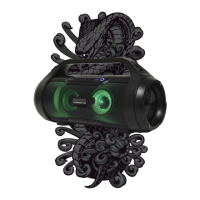
Important Technical Specifications:

  • Bluetooth Version: 5.0
  • Bluetooth Chipset: JL
  • Bluetooth Profiles: A2DP / AVRCP
  • Bluetooth Distance: Up to 33 ft / 10 m
  • Signal to Noise Ratio: 65 dB
  • Driver: 2 x 3"
  • Impedance: 4 Ω
  • Sensitivity: 88 dB
  • Frequency Response: 100 Hz – 16 kHz
  • Total Power Output: 15 W RMS / 22 W Peak
  • Charge Input: DC 5 V, 1 A
  • Battery Capacity: 3000 mAh, Lithium Rechargeable Battery
  • Charge Time: 5 Hours
  • Playback Time: 2.5 – 5 Hours (depending on usage)
  • Product Size: 354 × 183 × 138 mm
  • Max Size for USB Input: 32 GB
  • Max Size for SD Card Input: 32 GB
  • Water Resistance: IPX5 (Water Resistant)

Usage Features:

  • Power On/Off: The speaker is turned on/off using the Power Button. A welcome tone and flashing blue LED indicate power on.
  • Bluetooth Pairing:
    • To pair with a single device: Switch on the speaker, cycle to Bluetooth mode using the Mode Button (M). The speaker will beep twice, indicating it's ready to pair. Activate Bluetooth on your playback device, search for "Cobra," and select it to connect. A connection tone will be audible upon successful pairing, and the Bluetooth LED will flash slower.
    • True Wireless Pairing (TWS): To pair two Cobra Series speakers, ensure both are in Bluetooth mode. Short press the TWS pairing Button on one speaker. A connection tone will confirm pairing, and the TWS Button will light up. This needs to be done only once for the speakers to pair with each other.
  • Audio Playback:
    • Volume Control: Long press the Next Track / Volume Up Button (+) to increase volume, and the Previous Track / Volume Down Button (-) to decrease volume.
    • Track Navigation: Short press the Next Track / Volume Up Button (+) to skip to the next song, and the Previous Track / Volume Down Button (-) to play the previous song.
    • Play/Pause: Short press the Play / Pause and FM Auto Scan Button (▷) to play or pause music.
  • Mode Selection: Short press the Mode Button (M) to cycle between USB, Micro SD, Bluetooth, and Aux modes.
  • USB/Micro SD Playback: Insert a USB flash disk or Micro SD card into the respective slot. Music will play automatically. Note that inserting a USB flash disk in Bluetooth mode will disconnect Bluetooth and switch to USB playback. The Mode Button (M) can be used to switch back to Bluetooth.
  • FM Radio:
    • Use the provided audio cable as an antenna.
    • Press the Mode Button (M) to cycle to FM radio mode.
    • Short press the Play / Pause and FM Auto Scan Button (▷) to search for and store available FM channels automatically.
    • Navigate between saved stations by short pressing the Next Track / Volume Up Button (+) or Previous Track / Volume Down Button (-).
  • Aux-In: Press the Mode Button (M) to cycle to Aux mode. Plug the provided audio cable into your device's Aux output and then into the speaker's Aux input.
  • RGB Lights: Long press the Mode Button (M) to switch the RGB lights on or off.
  • Battery Status: The LED indicator shows battery levels: 0-24%, 25-49%, 50-74%, 75-99%, and 100%.

Maintenance Features:

  • Charging:
    • Fully charge the speaker before first use (approximately 5 hours).
    • Connect the micro USB end of the charging cable to the speaker's charging port and the USB A end to a USB charging port.
    • A red indicator light will be lit during charging and will switch off automatically when fully charged.
    • Do not charge for more than 8 hours.
  • Cleaning:
    • Ensure the speaker is turned off and unplugged from any charger before cleaning.
    • Wipe the surface with a soft, slightly damp cloth.
    • Do not use harsh or abrasive cleaning chemicals.
  • Storage:
    • Do not expose the speaker to direct sunlight or high temperatures for extended periods.
    • Do not store in temperatures over 60°C.
    • Store in a cool, dry place.
  • General Precautions:
    • Do not submerge the speaker or expose it to excessive heat, fire, or moisture.
    • Do not remove panel covers or attempt to service the unit yourself. Refer servicing to qualified personnel.
    • Do not overcharge the battery.
    • Do not disassemble the battery or dispose of it in fire.
    • If the battery shows signs of overheating, smoke, or fumes, remove the charging cable immediately.
    • Prevent battery leakage from contacting eyes, skin, or clothing. Flush affected areas with clean water and seek medical attention if contact occurs.
    • Do not use accessories, plugs, or power supplies not recommended by the manufacturer.
    • Ensure adequate ventilation; do not install in confined spaces.
    • Do not lift, move, or transport the device by pulling on cables; always lift by the body with a firm grip.
  • Disposal: At the end of its working life, the product must not be disposed of as urban waste. It should be taken to a special local authority differentiated waste collection center or to a dealer providing this service, in accordance with the European Directive on Waste Electrical and Electronic Equipment. Do not dispose of used electronics with ordinary solid wastes due to toxic substances.

Troubleshooting:

  • Cannot find Bluetooth devices: Ensure the device is in pairing mode and within effective working range.
  • Bluetooth device cannot pair: Ensure your mobile phone allows new connections and has not reached the maximum number of allowed devices.
  • No music/calls when connected to Bluetooth phone: Ensure the phone supports A2DP and HSF profiles and is within effective working range.
  • Windows asks for a new driver: Find compatible drivers online.
  • Cannot remotely control playback functions: Ensure the paired Bluetooth device supports AVRCP (Audio/Video Remote Control Profile).

volkano Cobra Series Specifications

General IconGeneral
Brandvolkano
ModelCobra Series
CategorySpeakers
LanguageEnglish

Related product manuals