EasyManua.ls Logo

volkano Mamba Series - User Manual

volkano Mamba Series
10 pages
Print Icon
To Next Page IconTo Next Page
Loading...
INSTRUCTION MANUAL
Please read and retain these instructions for future reference.
VK-3202-BK/BL
Mamba Series
Question and Answer IconNeed help?

Do you have a question about the volkano Mamba Series and is the answer not in the manual?

Summary

Instruction Manual

Highlights

Key features and capabilities of the Volkano Mamba Series Bluetooth Speaker.

Package Contents

List of items included in the Volkano Mamba Series Bluetooth Speaker package.

Specifications

Technical details and performance metrics for the Volkano Mamba Series Bluetooth Speaker.

Identifying Parts

Diagram and descriptions of the different buttons, ports, and indicators on the speaker.

Charging

Instructions on how to properly charge the Volkano Mamba Series Bluetooth Speaker.

Pairing with Bluetooth Devices

Step-by-step guide on connecting the speaker to Bluetooth-enabled devices.

Pairing a Second Mamba Speaker; Daisy Chaining

Instructions for pairing two Mamba speakers together for stereo sound.

Controls

Overview of all physical and functional controls for operating the speaker.

General Controls and Operations

Details on basic speaker controls like power, volume, and track skipping.

Bluetooth, USB, and SD Card Mode Controls

Specific control functions for music playback via Bluetooth, USB, and Micro SD.

FM Radio Operation

How to tune, scan, and select radio stations using the FM radio feature.

Playing MP3 s from USB or Micro SD

Instructions for playing audio files from USB flash drives and Micro SD cards.

Aux-In Mode

Guide on connecting external audio devices using the Aux-in port.

FM Radio Mode

Detailed steps for operating the speaker in FM radio reception mode.

Locating the Bluetooth Menu

Instructions for accessing Bluetooth settings on various mobile devices.

Troubleshooting

Solutions for common issues encountered with the Bluetooth speaker.

Safety Precautions

Important safety warnings and guidelines to prevent hazards and damage.

Cleaning and Care Instructions

Recommendations for cleaning and maintaining the speaker's condition.

Environmentally Friendly Disposal

Guidance on the proper disposal of the product and its battery.

Warranty Information

Details on the limited warranty period and conditions for the speaker.

Overview

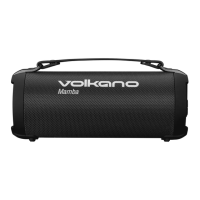
The Volkano Mamba Series Portable Bluetooth Speaker is a versatile audio device designed for on-the-go use, offering a range of playback options and user-friendly controls. Its primary function is to provide portable audio playback via Bluetooth, FM radio, and various wired and card-based inputs.

Function Description:

The Mamba Series speaker functions as a portable audio system, capable of connecting wirelessly to Bluetooth-enabled devices for streaming music. It also integrates an FM radio tuner, allowing users to listen to local radio stations. For non-Bluetooth audio sources, the speaker includes an Aux input, enabling a wired connection to devices like smartphones, computers, or tablets. Additionally, it supports playback from USB flash drives and Micro SD cards, making it a comprehensive solution for various audio formats. The speaker features True Wireless Pairing, which allows two Mamba Series speakers to be connected to each other for a stereo audio experience, effectively daisy-chaining them. This enhances the sound output and creates a more immersive listening environment. The device is designed with a carry handle for easy portability, making it suitable for outdoor activities, travel, or moving between rooms.

Usage Features:

The speaker's operation is straightforward, with clearly labeled buttons for mode selection, volume control, track navigation, and playback.

  • Power On/Off: The speaker is turned on by pressing and holding the Power Button for approximately 3 seconds. A blue LED light indicates that the device is active and ready for use.
  • Mode Selection: The "M" Mode Button allows users to cycle through different input modes: Bluetooth, FM Radio, USB, Micro SD, and Aux. This ensures compatibility with a wide range of audio sources.
  • Bluetooth Pairing: To pair with a Bluetooth device, the speaker must be in Bluetooth mode. After activating Bluetooth on the playback device (e.g., smartphone, tablet), users can search for "Mamba" in the device list and select it to connect. A connection tone confirms successful pairing, and the Bluetooth LED will flash slower.
  • True Wireless Pairing (Daisy Chaining): For an enhanced audio experience, two Volkano Mamba speakers can be paired together. While both speakers are in Bluetooth Mode, pressing and holding the Play/Pause and FM Auto Scan Button on one speaker for 3 seconds initiates the pairing process between the two speakers. A connection tone indicates successful pairing, after which they can be connected to a single Bluetooth playback device.
  • Volume Control: Volume can be adjusted directly on the speaker or via the connected playback device. Long pressing the "V+" (Next Track / Volume Up) button increases the volume, while long pressing the "V-" (Previous Track / Volume Down) button decreases it.
  • Track Navigation: For Bluetooth, USB, and Micro SD modes, short pressing the "V+" button skips to the next track, and short pressing the "V-" button goes to the previous track.
  • Play/Pause: The Play/Pause button controls audio playback, allowing users to start or stop music.
  • FM Radio Operation:
    • To use the FM radio, the provided audio cable acts as an antenna for better signal reception.
    • Once in FM radio mode (selected via the "M" button), a short press of the Play/Pause and FM Auto Scan Button initiates an automatic search for available FM channels, which are then stored.
    • To navigate between saved radio stations, short press the "V+" button to go up through channels or "V-" to go down.
    • Long pressing "V+" or "V-" in FM mode will navigate to the next or previous station, respectively.
  • USB and Micro SD Playback: Inserting a USB flash drive or Micro SD card into its respective slot will automatically begin playing music stored on the media. The same track navigation and volume controls apply as in Bluetooth mode.
  • Aux-In Mode: To use the Aux input, select Aux mode via the "M" button and connect the provided audio cable from the external device's Aux output to the speaker's Aux input. Volume control is available on the speaker in this mode.

Maintenance Features:

Proper care and maintenance are essential to ensure the longevity and optimal performance of the Volkano Mamba Series speaker.

  • Charging: Before first use, the speaker should be fully charged. The charging cable's micro USB end connects to the speaker's charge input, and the USB A end connects to a USB charging port. A red indicator light illuminates during charging and turns off when the battery is full. It is advised not to charge the speaker for more than 8 hours.
  • Cleaning: Before cleaning, ensure the speaker is turned off and disconnected from any charging cables. The surface can be wiped down with a soft, slightly damp cloth. Avoid using harsh or abrasive cleaning chemicals or materials, as these can damage the surface finish.
  • Storage and Environmental Conditions:
    • Do not expose the speaker to direct sunlight or high temperatures for extended periods.
    • Avoid storing the speaker in temperatures exceeding 60°C.
    • Keep the battery away from excessive heat sources like sunshine or fire. Store the device in a cool, dry place.
    • The speaker is not designed to be submerged in water or exposed to dripping or splashing liquids. Do not place any liquid containers on top of the equipment.
  • Handling:
    • Do not lift, move, or transport the device by pulling on the cables. Always use the carry strap and maintain a firm grip on the device itself.
    • Avoid dragging the speaker across the floor, as this can damage the base of the unit or the surface it is being pulled across.
  • Battery Care: Do not overcharge the speaker, as this can shorten the lifespan of the built-in battery and cause overheating. Do not disassemble the battery or dispose of it in fire. If the battery shows signs of overheating, smoke, or fumes during charging, immediately remove the charging cable. In case of battery leakage, flush affected areas with clean water and seek medical attention if contact with eyes, skin, or clothing occurs.
  • Servicing: Do not attempt to service the unit yourself. Opening or removing the covers may expose users to dangerous voltage or other hazards. All servicing should be referred to qualified service personnel.
  • Accessories: Only use accessories, plugs, or power supplies recommended in the manual or of the specified amperage/voltage. Using unapproved accessories can reduce the risk of fire, electric shock, and annoying interference.
  • Ventilation: To maintain adequate ventilation, do not install or place the unit in confined spaces like bookcases or built-in cabinets. Ensure that curtains or other materials do not obstruct the ventilation to prevent overheating, electric shock, or fire hazards.

The Volkano Mamba Series speaker is designed for household use and is not intended for commercial applications. It is also not intended for use by small children or individuals with diminished mental capabilities without supervision from a guardian or parent.

volkano Mamba Series Specifications

General IconGeneral
Bluetooth Version5.0
Charging Time3 hours
Built-in MicrophoneYes
Output Power10W
Frequency Response20 kHz
Wireless Range10 m
ConnectivityBluetooth
Color OptionsBlack

Related product manuals