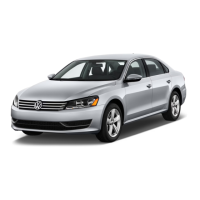
This document is a Quick-Start Guide for the 2014 Volkswagen Passat, providing an overview of its key features, usage, and maintenance. It serves as a supplementary resource to the full Owner's Manuals, emphasizing important safety instructions and warnings throughout.
Function Description:
The 2014 Passat is a mid-size sedan designed for comfort and practicality, equipped with various technological and convenience features. This guide focuses on helping new owners quickly understand and utilize these features, ranging from infotainment and climate control to safety and maintenance reminders.
Usage Features:
-
Bluetooth® Technology:
- Pairing: Users can pair their smartphone by texting "PAIR2" to 38981 for a video tutorial. The process involves starting the ignition, searching for "VW PHONE" on the phone, pressing "OK" on the steering wheel, confirming a PIN on both devices, and enabling automatic connections.
- Voice Recognition: Pressing the microphone button on the steering wheel activates voice recognition. Users can say "Call" followed by a contact's name (e.g., "Call Mike Brown") or "Dial number" to enter digits. Tips include saying the name exactly as stored and using shortcuts like "Call Mike Brown at work." "Redial" is also an option.
- Call Management: The phone button on the steering wheel is used to answer incoming calls and briefly press to end a call. Holding the phone button switches to privacy mode, transferring the call to the mobile phone.
- Compatibility: Phone compatibility can be checked at www.vw.com/bluetooth.
-
Premium VIII Audio:
- Radio Presets: To select and save a preset radio station, press AM, FM, or SAT, use the tuning knob to select a station, then press and hold a preset soft key until a confirmation beep is heard.
- Streaming Audio: After pairing a Bluetooth®-equipped phone or audio player, press the MEDIA hard key, then the BT-Audio soft key. Navigation through music is done using PLAY/PAUSE, PREVIOUS, and NEXT TRACK soft keys.
- HD Radio™: Offers crystal clear sound and additional HD multicast channels. HD1 channels switch to analog signal outside coverage, while HD2/HD3 channels cut off.
- SiriusXM® Satellite Radio: New vehicles include a three-month trial. Signal interruptions may occur in areas with tall buildings or tunnels.
-
RNS 315 Audio and Navigation:
- Destination Entry: Press the NAV hard key, tap the flag icon, and enter state, city, street, and number. The system can also search by street name if the number is unknown. Confirm the address and press START to begin the route.
- Route Settings: Within the Navigation screen, press SETUP, then choose ROUTE OPTIONS and ROUTE CRITERIA to select between Fast, Economic, or Short routes.
- Streaming Audio: After Bluetooth® pairing, press the MEDIA hard key. If other media (SD card, CD, iPod) are connected, press the * soft key. Use arrow keys on the steering wheel for track selection.
- Presets: Press BAND to toggle between FM, AM, or SiriusXM®. Turn the center knob to select a station, then press and hold the knob. Press a preset soft key to save.
-
RNS 510 Audio and Navigation:
- Destination Entry: Press the NAV hard key, then the Dest. soft key. Tap Address, then enter state, city, street, and number. Confirm and press START.
- Streaming Audio: After Bluetooth® pairing, press the MEDIA hard key, then the * icon soft key. Music may start automatically or require pressing PLAY. Use PLAY/PAUSE, PREVIOUS, NEXT TRACK soft keys or steering wheel arrows.
- Presets: Press BAND to toggle, then Presets soft key to choose a group. Turn the tuner knob to select a station, then press and hold a preset soft key.
-
iPod® Adapter:
- Connection (Premium VIII or RNS 510): Requires iPod® Generation Four or newer. Connect to the MDI cable. Press MEDIA hard key, then MDI or MEDIA-IN soft key. Use Selection soft key for songs, folder icon for categories, and Back soft key to return to the main screen.
- Connection (RNS 315): Requires iPod® Generation Four or newer. Connect to the MDI cable. Audio plays through speakers. Use LIST soft key for songs, UP soft key for categories.
- Auxiliary Jack: Plug media device into the auxiliary jack (cable not standard). For Premium VIII or RNS 510, press SETUP, MEDIA, Enable AUX Input, then MEDIA again. For RNS 315, press MEDIA hard key, then the media specific soft key.
-
Cruise Control:
- Activation: Locate the stalk on the lower left of the steering column. Turn the switch to ON. The speedometer icon appears in the multifunction display.
- Setting Speed: At desired speed, press the rocker switch towards SET/-. A green CRUISE light appears.
- Adjustment: Press RES/+ to increase speed by 1 mph, SET/- to decrease by 1 mph.
- Cancel/Resume: Press the brake pedal or turn the stalk switch to CANCEL. Press RES/+ to resume.
-
Windshield Wipers:
- Continuous: Move stalk two clicks up for LOW, three clicks up for HIGH.
- Pulsing/Quick Wipes: Press stalk down for a single wipe. Press and hold for two seconds for faster wipes.
- Wash: Pull stalk towards you to spray fluid.
- Rain-Sensing Wipers (Optional): Move stalk one click up. Adjust sensitivity by moving the switch right (high) or left (low). Turn off before car washes.
-
Setting the Clock:
- Turn ignition ON. Press Menu/Clock button to highlight hour, push 0.0/SET to advance (hold for fast forward). Press Menu/Clock again for minutes, push 0.0/SET to advance. Press Menu/Clock again to complete.
-
Manual Seats:
- Height Adjustment: Use the lever beneath the left side of the seat. Pull up to raise, push down to lower.
- Forward/Back Adjustment: Pull up the handle under the driver's seat, rock forward or back, release to lock.
- Recline: Push the lever on the lower rear of the seat, lean forward or back, release to lock.
-
Keys:
- Keyless Entry (Unlock): With key fob, slide hand behind door handle (avoid front indentation). Pull handle after unlocking. Only driver's door unlocks for safety.
- Keyless Entry (Lock): With key fob, touch thumb to depression on handle. Door won't lock if grasping handle. Avoid standing too close for prolonged periods to prevent battery drain.
- Push Button Start/Stop: Key fob must be in cabin. Press brake pedal, then START/STOP button. To stop, ensure vehicle is parked, then press START/STOP.
-
Key Fob Programming:
- Door Lock/Unlock Customization: With vehicle parked, press menu icon button on steering wheel until "Settings" appears. Scroll to "Convenience," press OK. Scroll to "Central Locking," press OK. Press "Unlock doors" to choose "All doors," "Single door," or "Vehicle side." Press OK to select.
-
Manual Climate Control:
- Cooling: Turn temperature to MAX A/C, fan speed to 6. Air recirculation light comes on automatically. Turn vent dial to the 111 setting. Reduce fan speed and turn off recirculation after desired temperature is reached.
- Defrost: Turn temperature dial to HI, fan speed to 4. Turn vent dial to the 111 setting. AC function comes on automatically for optimal performance.
- Heating: Turn temperature dial to HI, fan speed to 4. Turn vent dial to the 111 setting.
-
Trunk:
- Opening: Press and hold trunk button on key fob. Pull trunk release button on driver door. Press unlock button twice on key fob, then press large microswitch above license plate and lift.
- Closing: Grab recessed handles on inner corners and pull.
-
Tire Pressure Monitoring System (TPMS):
- Warning Light: If the TPMS light or "Tire pressure too low" message appears, check all tires and inflate to the correct pressure (found on driver's door jamb sticker).
- Resetting: After inflating, turn ignition ON and press the SET button inside the glove compartment for five seconds until a chime is heard. The light will go out after 20 minutes of normal driving.
-
Volkswagen Car-Net™:
- Automatic Crash Notification: If airbags deploy, a VW Car-Net™ Customer Specialist is automatically contacted, notified of vehicle location, and calls for help if needed.
- Manual Emergency Call: Press the "SOS" Button for assistance in emergencies. Vehicle location is transmitted.
- Roadside Assistance: Press the "Wrench Button" for assistance. Vehicle location and diagnostic information are sent.
- Live Operator - Route Assistance: Press the "Information Button" to connect with a Customer Specialist who can send destinations to the navigation system.
- Trial Period: Automatic Crash Notification may be enabled for up to six months without trial/paid subscription. Other features require trial/paid subscription. Services require cellular connectivity and GPS signal.
Maintenance Features:
- Volkswagen DoubleCheck: A "second vehicle delivery" appointment within 30 days of ownership to answer questions about the new Volkswagen.
- Carefree Maintenance: Covers routine maintenance like oil changes and vehicle inspections for two years or 24,000 miles (whichever comes first) for 2014 models.
- knowingyourvw.com: A dedicated website with "how-to" video tutorials for operating various features.
- Volkswagen Loyalty Center: Contact at 1-800-444-8982 for assistance.
Important Safety Instructions and Warnings (summarized):
- Bluetooth® Technology: Avoid driver distraction, maintain audible volume for outside sounds, check phone compatibility, secure mobile phones, switch off in hazardous areas, and avoid interference with pacemakers.
- Cruise Control: Do not use in heavy/varying traffic, on steep/winding/slippery roads, or off-road. Adjust speed to conditions. Switch off when not in use. Be cautious with Resume.
- iPod® Adapter: Avoid driver distraction, do not display video while moving, secure external devices, route cables properly, and keep armrest closed.
- Key Fob: Do not leave keys in the vehicle with children or disabled persons.
- Keyless Entry: Do not leave keys in the vehicle with children or disabled persons.
- Luggage Compartment Lid/Trunk: Close and lock when not in use. Do not leave children unattended near an open trunk. Do not let anyone ride in the trunk. Secure all items to prevent injury during braking or accidents.
- Manual Climate Control: Ensure clear visibility through windows. Do not use air recirculation for long periods.
- Manual Seats: Ensure proper seating positions for all occupants. Secure children in appropriate restraint systems. Keep feet on the floor. Adjust seats and steering wheel for proper distance from airbags. Hold steering wheel at 9 and 3 o'clock positions.
- Navigation and Infotainment: Prioritize traffic signs over navigation recommendations. Drive attentively.
- Premium VIII Audio, RNS 315 Audio, RNS 510 Audio: Avoid driver distraction. Maintain audible volume for outside sounds. Lower volume before changing audio sources. Secure external devices and route cables properly. Keep armrest closed. Do not open CD player housing due to invisible laser beams.
- Tire Pressure Monitoring System (TPMS): Stop and inspect tires if warning appears. Maintain correct cold tire inflation pressure. Do not drive with underinflated tires. Recalibrate TPMS after changing wheels/tires.
- Volkswagen Car-Net™: Use services only where cellular and GPS signals are available. Use only Volkswagen-provided software. Avoid driver distraction. Heed vehicle warning lights.
- Windshield Wipers: Use washer fluid with adequate frost protection. Do not use wipers/washers when freezing without defrosting. Replace worn blades. Do not mix antifreeze with washer fluid.
This guide is designed to provide quick access to essential information, but users are always advised to consult the full Owner's Manuals for comprehensive details and warnings.

 Need help?
 General








 To Next Page
