is removed from the ignition lock. If the infotain-
ment system is switched on again, it will switch off
automatically after approximately 30
minutes
(switch-off delay).
The infotainment system is permanently
linked to the vehicle. It cannot be used in an-
other vehicle.
If the vehicle battery has been disconnected,
the ignition must be switched on before
switching the infotainment system back on.
Adjusting base volume
First read and observe the safety warnings on page 3 and the introductory information
on page 7.
Function: action
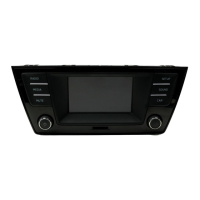
Increasing the volume: turn the volume control ⇒ Fig. 1
1
clockwise or press the
button on the
multifunction steering wheel ⇒ Booklet Owner's manual
.
Decreasing volume: turn the volume control ⇒ Fig. 1
1
anticlockwise or press the
button on the
multifunction steering wheel.
Changes to the base volume are indicated by a
“bar” on the screen. During this time the infotain-
ment system cannot be operated.
It is possible to preset certain volume settings and
adjustments ⇒ page
42.
Muting the infotainment system
● Turn the volume control ⇒ Fig. 1
1
anti-
clockwise until
is displayed.
● OR: press the
MUTE
infotainment system but-
ton
1)
⇒ Fig. 1
2
.
Any media source currently being played is stop-
ped while the infotainment system is muted. ap-
pears on the display.
If the base volume has been considerably in-
creased to play a certain audio source, re-
duce the volume again before switching to another
audio source.
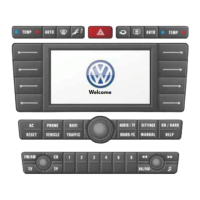
Operating function buttons and displays on the screen
Fig. 2 Overview of possible function buttons on
the screen
First read and observe the safety warn-
ings
1)
Depending on the unit version.
Composition Touch, Composition Colour8



 To Next Page