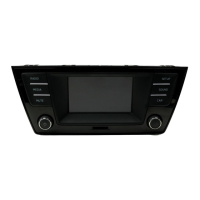
The traffic announcement volume setting can be
adjusted with the volume control ⇒ Fig. 1
1
.
The adjusted volume setting will be applied to sub-
sequent announcements.
● Touch the
Cancel
function button to end the
traffic announcement. The TP function remains ac-
tivated.
● OR: touch the
Deactivate
function button to end
the current traffic announcement and permanently
switch off the TP function.
FM/AM settings
First read and observe the safety warn-
ings on page 3 and the introductory
information on page 12.
FM setup
● Select the FM frequency band by pressing the
RADIO
infotainment button.
● Touch the
function button to open the
FM
setup
menu.
Function button: effect
Scan
: scan function (SCAN). When the scan function is running, all available stations on the current fre-
quency band are played in sequence for approximately 5 seconds each
⇒
page 16.
Arrow buttons
: define the settings for the
<
und
>
arrow buttons. The setting is adopted for all frequency
bands (FM, AM).
Preset list
: all stored stations on the selected frequency band can be browsed with the arrow
buttons.
Stations
: all available stations on the selected frequency band can be browsed with the arrow
buttons.
Traffic program (TP)
: the TP function (traffic news monitoring) is activated ⇒ page 17.
Radio text
: radio text is activated ⇒ page 16.
Delete preset list
: to delete some or all stored stations.
All
: all stored stations will be deleted (FM 1, FM 2, FM 3).
To delete individual stations, selected the desired preset list
FM 1
,
FM 2
or
FM 3
. Then touch
the station button of the station you wish to delete.
Advanced setup
: settings for the RDS radio data services.
RDS Regional
: defines the setting for automatic station tracking with RDS ⇒ page 13.
Fixed
: the unit only switches to alternative frequencies for the selected station that
broadcast the same regional service.
Automatic
: the unit always switches to the station's frequency that currently offers the
best reception. As a result, regional programmes may be interrupted.
Radio Data System (RDS)
a)
: the radio data system (RDS) is deactivated ⇒ page 13. If the
checkbox is deactivated, the traffic program (TP) and radio text functions are not available.
Alternative frequency (AF)
: automatic station tracking is activated. If the checkbox is deactiva-
ted, automatic station tracking is switched off. The
RDS Regional
function button is then inac-
tive (greyed out).
a)
Varies by country and unit version.
AM setup
● Select the AM frequency band by pressing the
RADIO
infotainment button.
● Touch the
function button to open the
AM
setup
menu.
Composition Touch, Composition Colour18



 To Next Page