Speed dial buttons
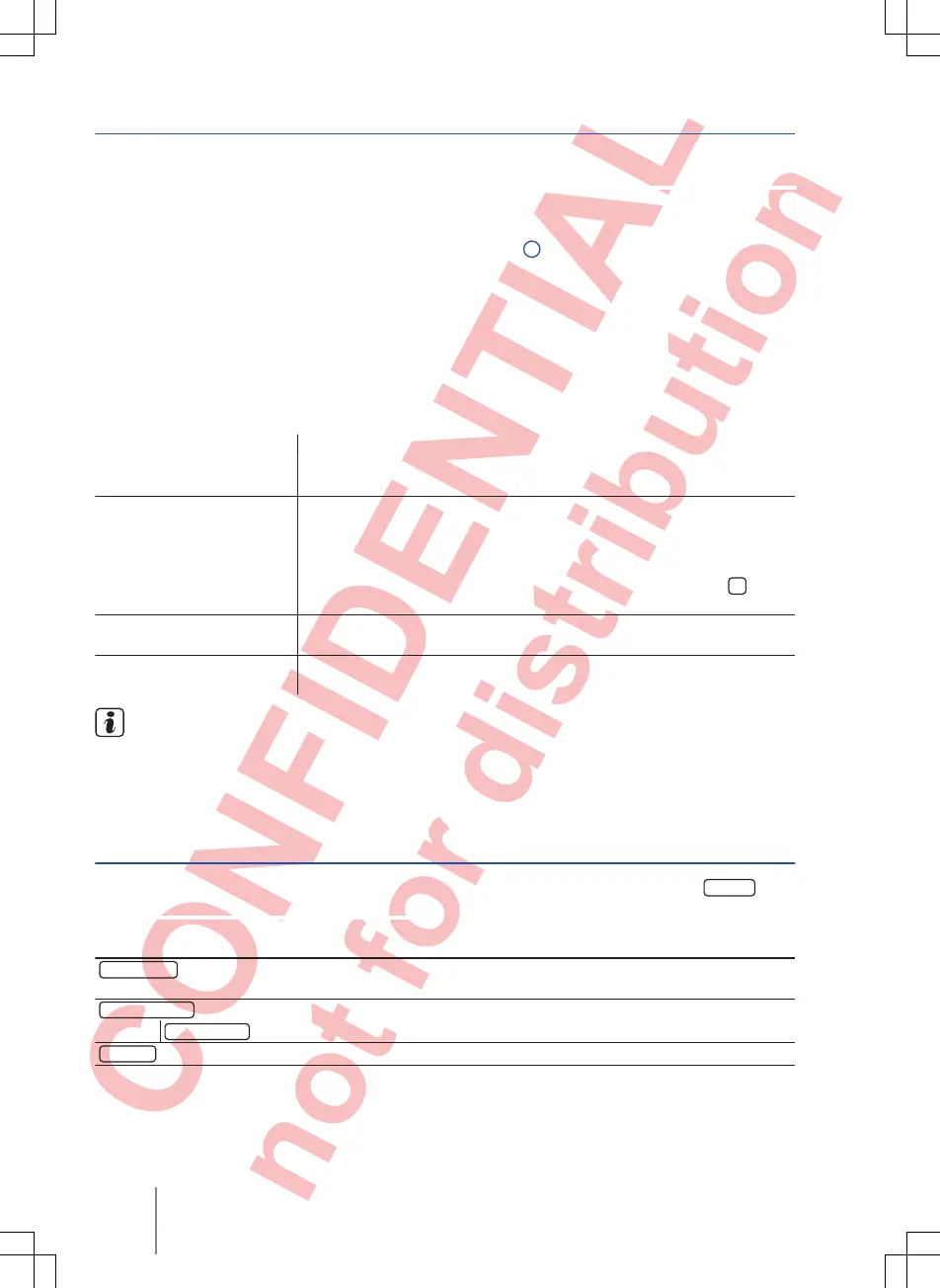
Fig. 31 PHONE main menu
First read and observe the introductory
information given on page
34.
One telephone number from the telephone book
can be stored to each of the speed dial buttons
⇒ Fig. 31
1
.
All speed dial buttons must be assigned manually
and are then specific to a user profile.
Possible functions
Assigning speed dial but-
tons
In the PHONE
main menu, touch a free speed dial button.
Select the desired contact from the list. If several telephone numbers are
stored for the selected contact, select the desired number.
Editing assigned speed di-
al buttons
In the PHONE main menu, press and hold an assigned speed dial button
until the Contacts menu opens.
Select the desired contact from the list. If several telephone numbers are
stored for the selected contact, select the desired number.
To close the Contacts menu without applying changes, touch the
func-
tion button.
Deleting assigned speed
dial buttons
Any telephone number stored on a speed dial button can be deleted in the
User profile setup menu ⇒
page 39.
Dialling with speed dial
buttons
In the PHONE main menu, briefly touch an assigned speed dial button to
dial the telephone number stored to that button.
Contacts stored to the speed dial buttons are
not updated automatically
. If a contact stored
to a speed dial button is modified on the mobile tel-
ephone, the speed dial button must be assigned
again.
Telephone settings
First read and observe the introductory
information given on page
34.
In the PHONE main menu, touch the
Setup
func-
tion button.
Function button: effect
Hands-free
a)
: the hands-free function is activated.
Touch the function button during a telephone call to
make the call on the mobile telephone.
Select telephone
: select the mobile telephone from the list view to connect it to the infotainment system.
Find telephone
: touch to connect a new mobile telephone.
Bluetooth
: opens the Bluetooth setup
menu ⇒ page 39.
Composition Touch, Composition Colour38



 To Next Page