The 2013 Volkswagen Golf English Owner's Manual provides comprehensive information for the Golf and Golf R models, U.S. Edition, Model Year 2013. This manual is designed to help owners become familiar with their vehicle, understand its features, and ensure safe operation and maintenance.
Vehicle Overview
The manual includes detailed exterior views of the vehicle, highlighting key components.
- Side View (Fig. 1):
- Roof antenna (page 297)
- Fuel filler flap (page 218)
- Outside door handles (page 48)
- Outside mirror (page 136), with additional turn signal light (page 124)
- Side marker light (page 124)
- Lift points for the jack (page 317)
- Front View (Fig. 2):
- Inside mirror (page 136)
- Front windshield (page 131)
- Front windshield wipers (page 131)
- Engine hood (page 227)
- Engine hood release (page 227)
- Headlights (page 124, 326)
- Headlight washers (if applicable) (page 131)
- Fog lights/static cornering lights (if applicable) (page 124, 326)
- Front license plate bracket
- Threaded hole for the front towing eye (behind cover) (page 338)
- Rear View (Fig. 3):
- Roof antenna (page 297)
- High-mounted brake light
- Rear window, with rear window defroster (page 212)
- Rear windshield wiper (page 131)
- Taillights (page 124, 326)
- Rear hatch (page 50)
- Threaded hole for the rear towing eye (behind cover) (page 338)
- Rear license plate bracket
- License plate lights (page 326)
- Volkswagen Emblem for opening the rear hatch (page 50)
Passenger Compartment
The manual details the controls within the driver's door and the overall driver's side.
- Driver Door Overview (Fig. 4):
- Door handle (page 48)
- Power locking switch for locking and unlocking the vehicle (page 42)
- Indicator light for anti-theft alarm system (page 42)
- Switch for adjusting the outside mirror (page 136), including adjusting outside mirrors (L-O-R) and outside mirror heating
- Buttons for operating the power windows (page 54), including a safety switch for rear power windows
- Lever for releasing the engine hood (page 227)
- Bottle holder (page 164)
- Storage compartment (page 159)
- Reflector
- Driver Side Overview (Fig. 5):
- Headlight switch (page 124), with off position, low beams, and fog lights
- Dimmer control for the instrument and switch illumination (page 124)
- Lever (page 124) for high beams, headlight flasher, turn signals, and buttons for the cruise control system (CCS) (ON - CANCEL - OFF - RES/+ - SET/-) (page 201)
- Air vents (page 212)
- Instrument cluster (page 18), including instruments, display, and warning and indicator lights (page 15)
- Windshield wiper and washer lever (page 131), with settings for HIGH - LOW, intermittent operation, OFF, "one-tap wiping," and automatic wipe/wash
Radio RCD 310
The RCD 310 radio manual provides instructions for its operation and features.
- Device Overview (Fig. 1):
- Rotary and push button: To switch on/off (page 8) and adjust volume (page 8).
- Device keys: Access various functions depending on the device variant.
- RADIO/BAND/FM/AM: Switch to Radio mode, change frequency band, and display station preset keys (page 10).
- SAT: Switch to Satellite Radio mode and change display of station buttons (page 23).
- MEDIA: Switch to Media mode and select different media sources (page 26).
- MENU: Display additional functions; SETUP function key for system and function settings (page 43).
- TP: Switch Traffic Program function on or off (page 16).
- TI: Switch to a traffic radio station (Traffic Information) (page 19).
- SOUND: Access sound settings (page 42).
- CD slot: Insert and eject CDs (page 26).
- Screen: Brightness adjustment (page 43).
- EJECT: Eject a CD (page 26).
- Function keys: Displayed above corresponding key on screen, accessed by pressing (page 8).
- Adjustment knob: Function depends on operating mode.
- Program stations/channels manually, start/stop scanning (SCAN) in radio modes (page 10).
- Change title manually, start/stop scanning (SCAN) in Media mode (page 26).
- Change settings within a settings menu (page 42).
- Rocker switch: Labels and functions depend on device variant.
- <ENS/...▷: In DAB Radio mode, change to next/previous DAB station ensemble (page 20).
- <CAT/...▷: In Satellite Radio mode, select station category (page 23).
- <FOLDER or ... / FLDR▷: In Media mode, change folders or playlists (page 26).
- SEEK/TRACK▷ rocker switch:
- In all radio modes, change channels (page 10).
- In Media mode, change titles and search forward/backward (page 26).
Safety Instructions for RCD 310
- Driver Distraction: Avoid using the radio system while driving to prevent accidents. Drive attentively and responsibly.
- Volume Settings: Adjust volume to hear external acoustic signals. High volumes can damage hearing.
- Sudden Volume Fluctuations: Lower volume before changing or connecting audio sources.
- Device Handling While Driving: Do not connect, insert, or remove devices while driving.
- Connecting Cables: Route cables to avoid obstructing the driver.
- External Devices: Securely mount external devices to prevent injury during sudden maneuvers or accidents. Do not leave devices in doors, on the front windshield, or near airbag areas.
- Center Armrest: Keep the armrest closed while driving to avoid interfering with the driver's elbow movement.
- CD Player: Do not open the CD player housing due to invisible laser beams. Repairs should only be performed by a specialist.
- Data Media:
- Insert and remove CDs straight and at a right angle to the unit to prevent damage.
- Do not insert a second CD while one is inserted or ejecting.
- Use only clean, standard 12 cm CDs. Do not affix labels.
- Do not use printable data media.
- Do not insert 8 cm single CDs, non-circular CDs, DVD-Plus, Dual Discs, or Flip Discs.
- Speakers: Avoid excessively loud or distorted playback to prevent damage to vehicle speakers.
USA Warranty and Maintenance
This section covers warranty information for CC, Eos, GTI, Golf, Tiguan, Passat Model year 2013.
- Owner's Information: Provides contact details for Volkswagen Customer CARE and information on BBB AUTO LINE for dispute resolution.
- New Vehicle Limited Warranty:
- Period: 3 years or 36,000 miles (bumper-to-bumper), 5 years or 60,000 miles (powertrain), 12 years (corrosion perforation) without mileage limitation.
- Coverage: Repairs for manufacturer defects in material or workmanship, except wheel alignment, tire balance, and tire repair/replacement. Wear and tear items (brake pads/shoes, brake discs/drums) covered for 1 year or 12,000 miles. Wiper blades covered for 6 months or 6,000 miles.
- Original Equipment Battery: 100% parts and labor for 2 years or 24,000 miles.
- Mechanical Adjustments: Covered for 1 year or 12,000 miles (e.g., headlight adjustment).
- 24-Hour Roadside Assistance Services: Includes towing, battery jump start, flat tire service, lock-out service, fuel delivery, and trip interruption benefits.
- Warranty Service: Honored by authorized Volkswagen dealers in the United States. Warranty repairs while traveling in Canada are also addressed.
- Warranty Period Start: Date of delivery to original purchaser/lessee or first placed in service as a "demonstrator" or "company" car. Automatically transferred with vehicle ownership.
- Free-of-Charge Repair: Defective parts repaired or replaced with new or remanufactured genuine Volkswagen parts.
California Emissions Warranties
This section outlines specific emissions warranties for California-equipped vehicles.
- Your Warranty Rights and Obligations:
- Manufacturer's Warranty Coverage:
- 3 years or 50,000 miles: Covers repairs for Smog Check inspection failures and defects in emission-related parts (short-term Emission Control System DEFECTS WARRANTY and PERFORMANCE WARRANTY).
- 7 years or 70,000 miles: Covers specific emission-related parts listed in the warranty booklet (long-term Emission Control System DEFECTS WARRANTY).
- 15 years or 150,000 miles: For PZEV or ATPZEV vehicles, covers Smog Check inspection failures and defects in emission-related parts (PERFORMANCE WARRANTY and DEFECTS WARRANTY).
- 10 years or 150,000 miles: For High-Voltage batteries in Hybrid PZEV or ATPZEV models.
- Owner's Warranty Responsibilities: Perform required maintenance, retain receipts, present vehicle to dealer when problems exist, and be aware that abuse, neglect, improper maintenance, or unapproved modifications may void warranty.
- Contact Information: Volkswagen Group of America, Inc. Customer CARE or California Air Resources Board.
- California Emissions Control System Defect Warranties - General:
- For 3 years / 50,000 miles: Volkswagen warrants that the vehicle was designed, built, and equipped to conform with CARB requirements and is free from defects causing failure to conform or illumination of the on-board malfunction indicator. This coverage may also be included in the New Vehicle Limited Warranty.



 Need help?
 General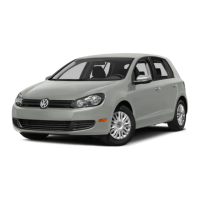




 To Next Page