
EasyManua.ls Logo

Vollrath mirage pro 59500P - User Manual

Vollrath mirage pro 59500P
8 pages
Print Icon
To Next Page IconTo Next Page
Loading...
ENGLISH
Item No. 2350060-1 en Rev 03/11
ENGLISH
Operators Manual
INDUCTION RANGE
Thank you for purchasing this Vollrath Equipment. Before operating the equipment, read and familiarize yourself with the following operating
and safety instructions. SAVE THESE INSTRUCTIONS FOR FUTURE REFERENCE. Save the original box and packaging. Use this
packaging to ship the equipment if repairs are needed.
Model Description Voltage HZ Watts Plug
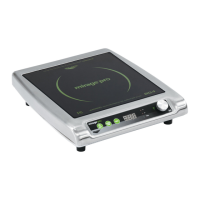
59500P Countertop Induction Range 120 50/60 1800 5-15P
59510P Countertop Induction Range 120 50/60 1440 5-15P

Questions and Answers

  • J
    James GreenAug 17, 2025
    What to do if my Vollrath Cooktop suddenly stopped working?
    • G
      gallegosjamesAug 17, 2025
      If your Vollrath Cooktop suddenly stopped working, it might be too close to an external heat source, or the air intake could be blocked. Try moving the unit away from any external heat source and clear any obstructions to the air intake.
  • R
    Robert BarkerAug 19, 2025
    Why is my Vollrath Cooktop on, but not heating?
    • B
      Brian HowardAug 19, 2025
      If your Vollrath Cooktop is on but not heating, the cookware you're using might be too small or not compatible with induction cooking. Make sure that the pot or pan is induction-ready.
  • H
    Henry BoltonAug 22, 2025
    What to do if the digital display lights are flashing on my Vollrath Cooktop?
    • M
      Michael BakerAug 22, 2025
      If the digital display lights on your Vollrath Cooktop are flashing, the overheat-protection feature may have turned on. Remove the cookware and let the cooking surface cool down.
  • B
    Brenda Weber DVMAug 26, 2025
    Why does my Vollrath Cooktop say 'ADD PAN'?
    • K
      Kenneth AnthonyAug 26, 2025
      If your Vollrath Cooktop displays 'ADD PAN', it means a pot or pan hasn't been detected on the induction range. Place induction-ready cookware on the heating surface.
  • A
    Ann FlemingAug 28, 2025
    Why did my Vollrath Cooktop turn off after 10 minutes?
    • E
      Elijah GarciaAug 28, 2025
      If your Vollrath Cooktop turned off after 10 minutes, it's likely because there wasn't a suitable pot or pan on the induction range, or the cookware isn't induction-ready. Verify that the pot or pan is induction-ready. This is normal behavior.
  • J
    James BaileyAug 30, 2025
    What does 'TOO HOT, F2' mean on my Vollrath Cooktop?
    • D
      David GarciaAug 30, 2025
      If your Vollrath Cooktop shows 'TOO HOT, F2', the overheat-protection feature may have activated. Remove the cookware and let the cooking surface cool. Also, clear any obstructions to the air intake.
  • B
    Brenda HartSep 2, 2025
    What does 'BAD PAN, F9' mean on my Vollrath Cooktop?
    • J
      Jaime TerrellSep 2, 2025
      If your Vollrath Cooktop displays 'BAD PAN, F9', it indicates that the cookware may be too small or not induction-ready. Verify that the pot or pan is induction ready.
  • C
    clinton38Sep 5, 2025
    What does 'BAD FLO, F8' mean on my Vollrath Cooktop?
    • A
      Angela EvansSep 5, 2025
      If your Vollrath Cooktop displays 'BAD FLO, F8', the unit might be too close to a heat source or the air intake is restricted. Relocate the unit away from any external heat source and clear any obstructions to the air intake.
  • J
    Jasmine LeonSep 7, 2025
    What does 'HT SNC, F4' mean on my Vollrath Cooktop?
    • A
      amandabenjaminSep 8, 2025
      If your Vollrath Cooktop displays 'HT SNC, F4', the overheat-protection feature may have activated. Remove the cookware, let the cooking surface cool, and clear any obstructions to the air intake.
  • S
    sjimenezSep 10, 2025
    What does 'HT TH, F5' mean on my Vollrath Cooktop?
    • J
      Joshua GreenSep 12, 2025
      If your Vollrath Cooktop displays 'HT TH, F5', it means the overheat-protection feature may have activated. Remove the cookware, allow the cooking surface to cool down, and clear any obstructions from the air intake.

Summary

SAFETY PRECAUTIONS

Hazard Symbol Definitions

Explains the meaning of WARNING, CAUTION, and NOTE symbols used in the manual.

General Safety Guidelines

Lists essential safety precautions for operation to prevent injury and equipment damage.

OPERATION GUIDELINES

Intended Use and Cookware

Covers the purpose of the unit and compatible cookware types for optimal performance.

Installation Requirements

Details placement and clearance needed for safe operation and to prevent overheating.

OPERATION

Control Panel Overview

Identifies and explains the function of each button and indicator on the control panel.

Adjusting Power and Temperature

Details how to set and modify cooking power levels and temperatures.

Activating the Timer

Setting and Canceling Timer

Explains how to set, use, and cancel the timer function.

CLEANING

Cleaning Precautions and Procedure

Provides safety warnings and steps for cleaning the induction range.

TROUBLESHOOTING

Common Problems and Solutions

Lists common issues, their causes, and recommended actions.

Flashing Message (F code) Explanations

Details error codes displayed on the unit and their corresponding troubleshooting steps.

SERVICE AND REPAIR

Contacting Repair Services

Provides information on how to obtain professional repair services for the unit.

WARRANTY INFORMATION

Product Warranty Details

Covers warranty periods, exclusions, and liability limitations for Vollrath products.

Induction Range Specifics

Details the two-year warranty for induction ranges and associated exclusions.

WARRANTY PROCEDURE

Claim Process and Required Information

Outlines the steps and necessary details for filing a warranty claim.

Warranty Registration

Explains how to register the product warranty online or via fax.

Mailing List and Catalog Request

Inquires about receiving product catalogs and mailings.

Vollrath mirage pro 59500P Specifications

General IconGeneral
BrandVollrath
Modelmirage pro 59500P
CategoryRanges
LanguageEnglish