Instruction Booklet
Instructions:
Using Wireless Remote Controller
Remove batteries and charger from packaging.
Plug the charger into a properly rated AC electrical outlet.
Note: Battery LED is only for charger power notication.
Connect the batteries to the input plugs from the charger. The LED lights on
the batteries will light up indicating it is receiving a charge.
Batteries will be fully charged when the LED’s on the battery display all four
green LED lights. Fully discharged batteries will take 2.5 – 6 hours to charge
fully.
Disconnect the charged batteries and connect to the 3v product.
Press the “power” button on the battery holding for 3 seconds to activate.
Press “power” button to select desired power level setting and to turn o. All
four LED lights indicate the highest power setting.
The wireless remote controls two batteries at the same time.
Press “ON” button and hold for 3 seconds to activate batteries.
Note: Must be within 6 feet.
Press “ON” button to select power level output.
Press the “OFF” button to power o.
1.
2.
3.
4.
5.
6.
7.
1.
2.
3.
4.
www.voltheat.com
3
VB320R REMOTE
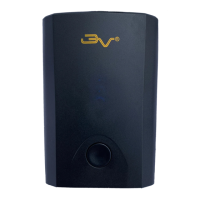
BATTERY PACK
Specications:
Model#BP037202
3.7v 2.0AH Li-ion Battery, 7.4Wh
Input: 4.2v 0.5A-1A
Output: 3v-4.2v 1.5A Max
Battery Life: 300+ cycles


 To Next Page
 Loading...