VOLTECH AT3600 USER MANUAL INSTALLING THE TESTER
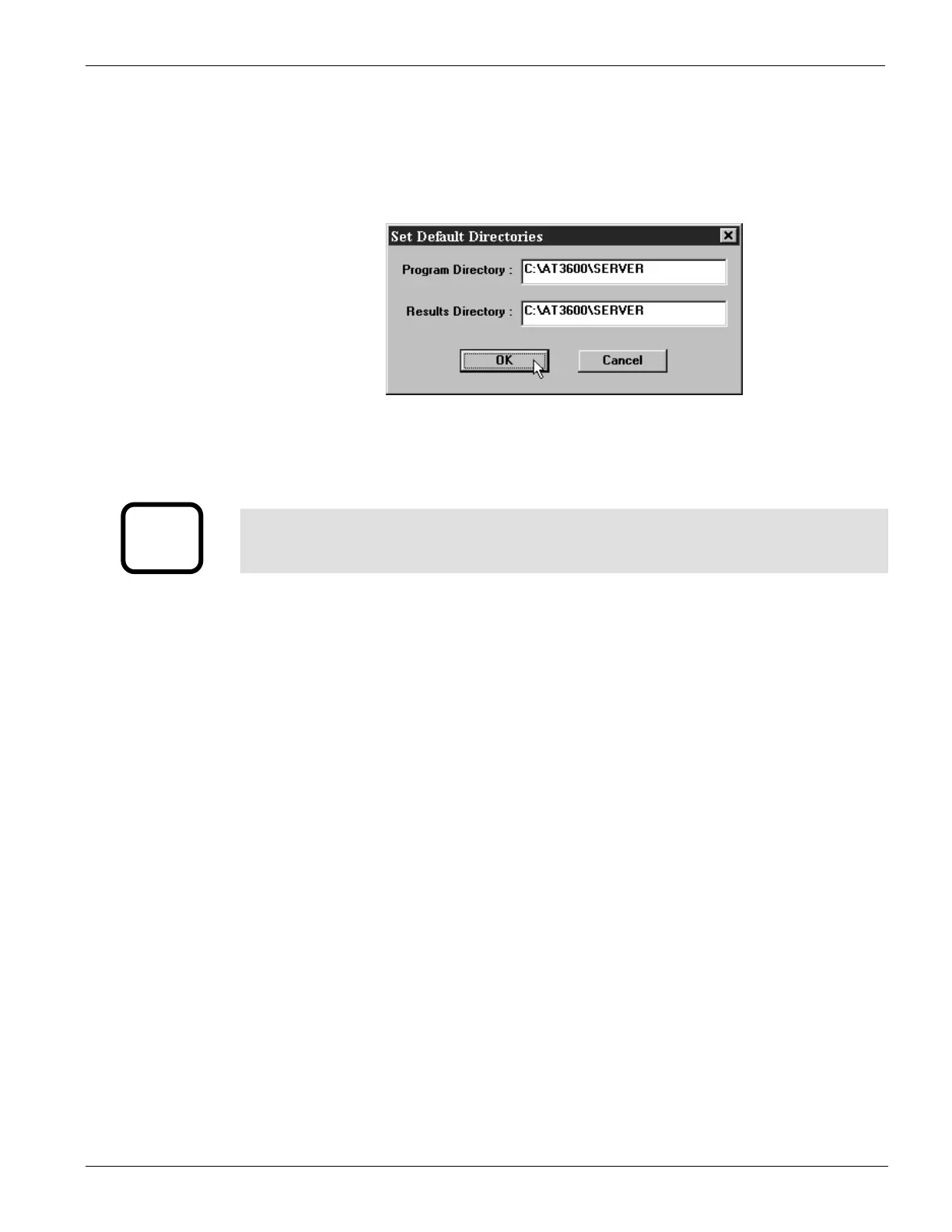
The final stage of setting up the server involves specifying the file location paths.
The directory setup dialogue will prompt you with the current directory. Change
these settings if you wish to nominate your own program and results storage
directories.
The setting of storage path directories may be altered at any time. The directory
setup dialogue may be found under the SETUP section of the menu bar.
i
IMPORTANT:
If you change the factory default settings, remember that the Server will only
look in the directories specified for test programs or results.
GETTING STARTED VPN 98 - 024 PAGE 2.2.7.



 To Next Page