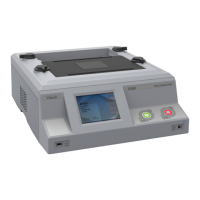
VOLTECH AT3600 USER MANUAL QUICK START TUTORIAL
GETTING STARTED VPN 98 - 024 PAGE 2.3.9.
RUNNING THE PROGRAM FROM THE EDITOR
The following section describes how to run a test program from the Editor. To do
this you must first create a program which includes only the test options installed in
your tester. You will not be able to include any of the following tests until you have
fitted your safety interlock system: AC-Hipot, DC-Hipot, Insulation Resistance,
Surge, Watts Loss, Induced Voltage (STRW), Magnetizing Current, Open Circuit
Voltage.
Having created both the transformer schematic and the test program, the program is
now ready to run on your AT3600 tester under the control of the Editor.
Before proceeding further, make sure that the interface cable between the tester's
Auxiliary Port and the selected PC COM port is correctly fitted, and that the COM
Port is correctly configured in the editor (see page 2.2.5).
Ensure that the tester has been powered on as described in the previous section (page
2.2.2), and the front panel display is showing:
To run the program:
1. From the Top Level menu bar, select
Tester
Download Program
The editor will now download the test
program to the AT3600. After a few
seconds, you should see a message to say that the download was successful.
If you see a message indicating that the download has failed, check your
cable/COM Port connections and try again. If the download continues to fail,
reboot your PC and try again.


 To Next Page
 Loading...