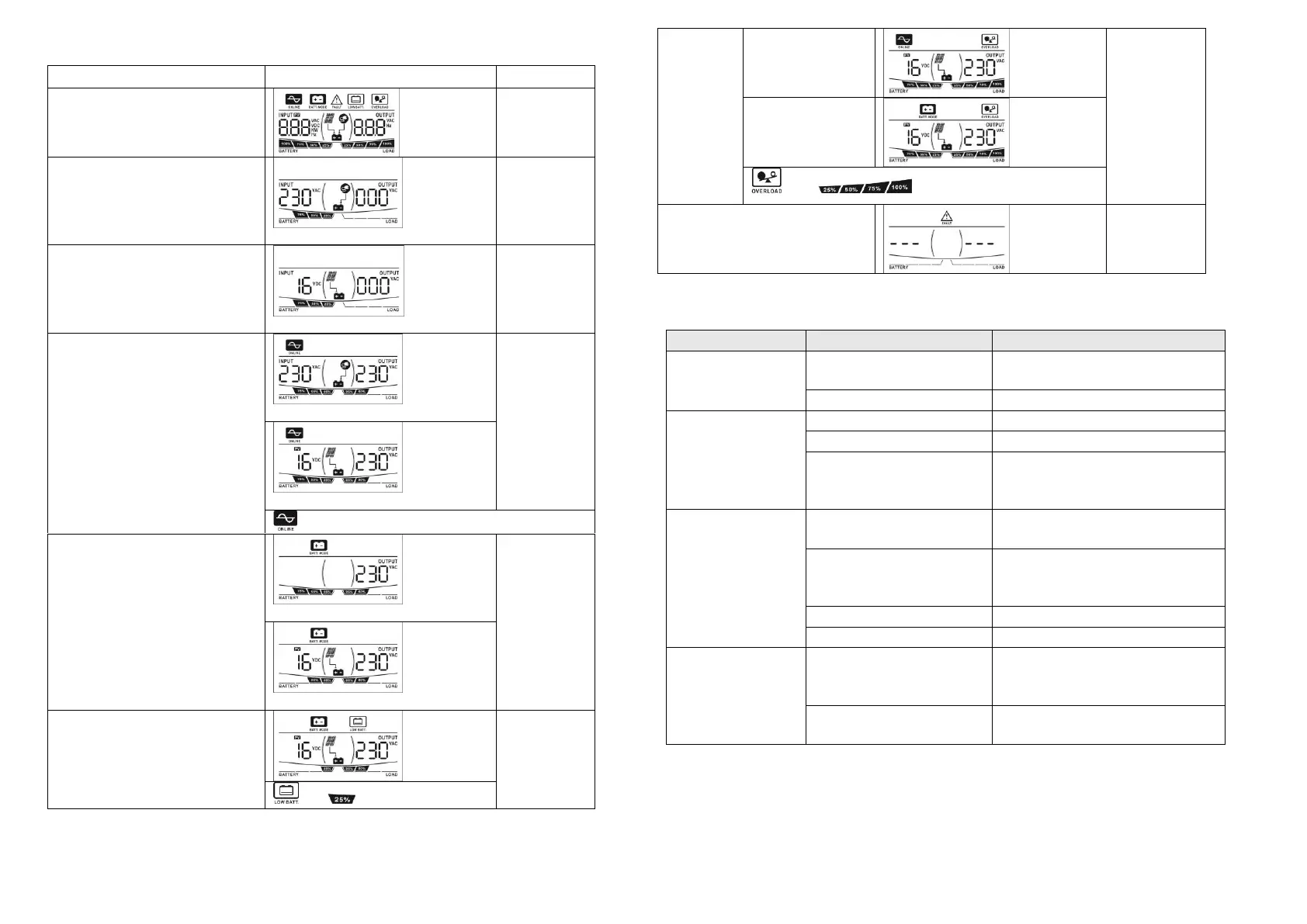
LCD Display & Audible Alarms
(PV icon is shown only in the model with solar charger)
Power on: when the unit is
powered on, it will enter this
mode for 3 seconds.
Standby Mode: charger is turned
on.
Standby Mode: PV charger is
turned on.
icon flashes when AVR is working.
Output power from battery
Overload:
when
connected
load is
over 110%
Sounding
every 0.5
second
7. Trouble Shooting
Use the table below to solve minor problems.
Utility power is
normal but the unit
is in battery mode.
AC input power cord is not
connected well.
Check AC input power connection.
Input breaker is activated.
When power fails,
the backup time is
shorten.
Remove some non-critical loads.
Battery voltage is too low.
Charge the unit at least 8 hours.
Battery capacity is not full
even after charge the unit for
at least 8 hours.
Check the date code of the battery. If
the batteries are too old, replace the
batteries.
No LED display on
the front panel when
the utility power is
normal.
The unit is not turned on.
Press power switch to turn on the
unit.
Battery is not connected well.
Check the external battery cable and
terminal. Make sure all the battery
connections to the unit are all correct.
Battery voltage is too low.
Charge the unit at least 8 hours.
The unit is in fault
and restart circularly.
Verify that the load matches the
capability specified in the
specification.
Output is short circuited.
Check the loads and remove loads
which cause short circuit.
If there is any abnormal situations occur, which doesn't list above, please call the service
people immediately for professional examine.



 To Previous Page
 Loading...