Docking Station Panel
The docking station is comprised of a joystick and a
docking panel dedicated solely for docking the boat.
Directions for using the joystick are provided in the
sections entitled Controls and Operation.
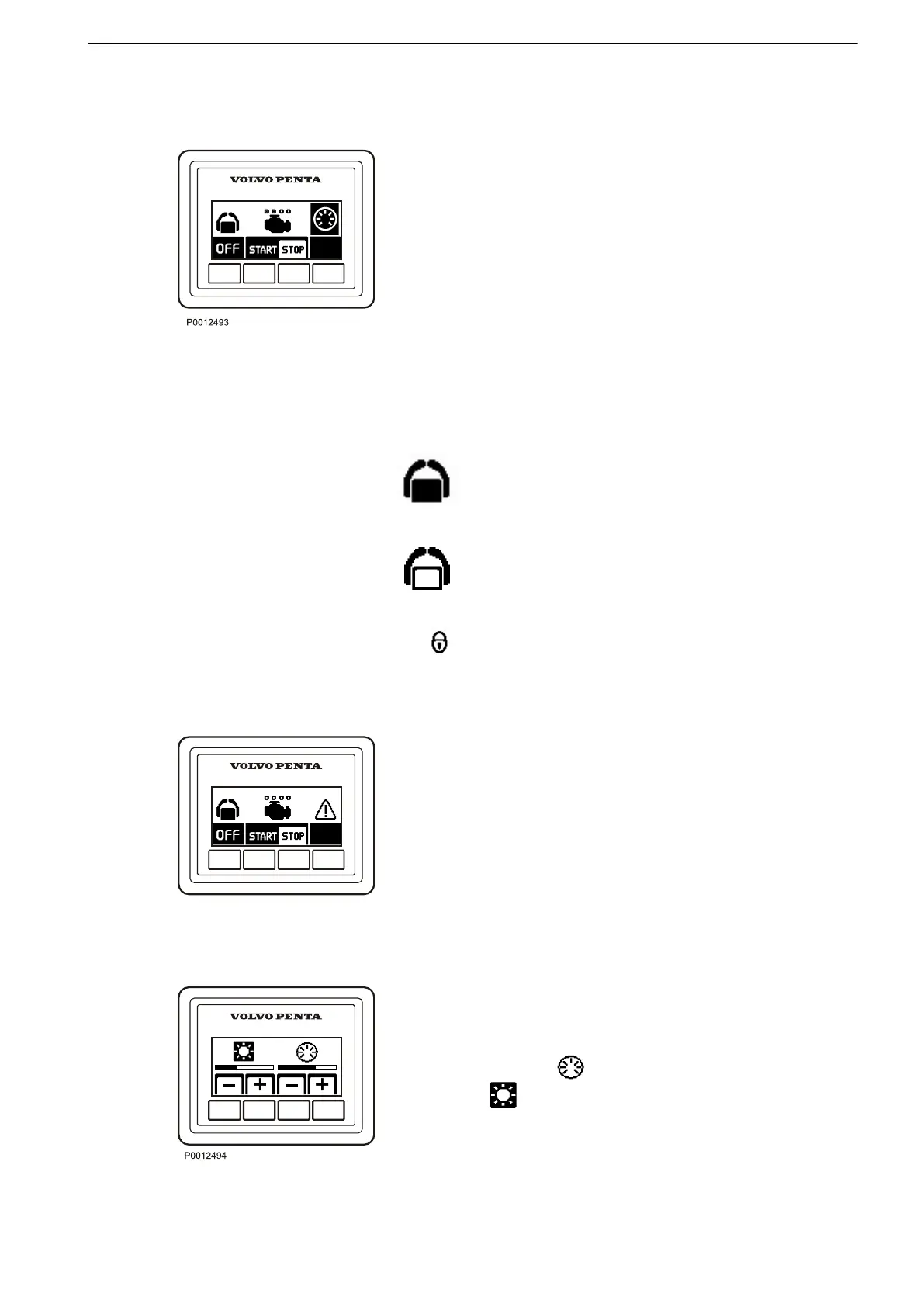
The docking panel allows station activation/deactiva-
tion, stopping and restarting of the engines, and con-
trast/backlighting control while operating the boat from
a docking station. This panel also allows you to
acknowledge fault messages. The docking function
(maneuvering with the joystick) is enabled when the
docking station is activated. The docking station can
be activated only when the engines are running.
Activation Button
Push the helm station activation button to activate and
lock/unlock the station.
The helm station is active. Press button again to lock
the helm station.
The helm station is locked.
Start/Stop Buttons
Push the Start/Stop buttons to start or stop both
engines.
The dots above the engine symbol shows which
engines are running. A white dot means an engine is
running.
Contrast/Backlighting Buttons
The button on the far right of the docking panel is used
to adjust contrast and panel backlighting. The button
is also used to confirm fault messages (see below).
Press the button to adjust the backlighting and the
button to adjust the contrast. Use + and – to
increase or reduce the backlighting or contrast. Adjust-
ments affect all screens in the system.
Instruments and Controls
47701898 12-2010 19



 To Next Page