Screens
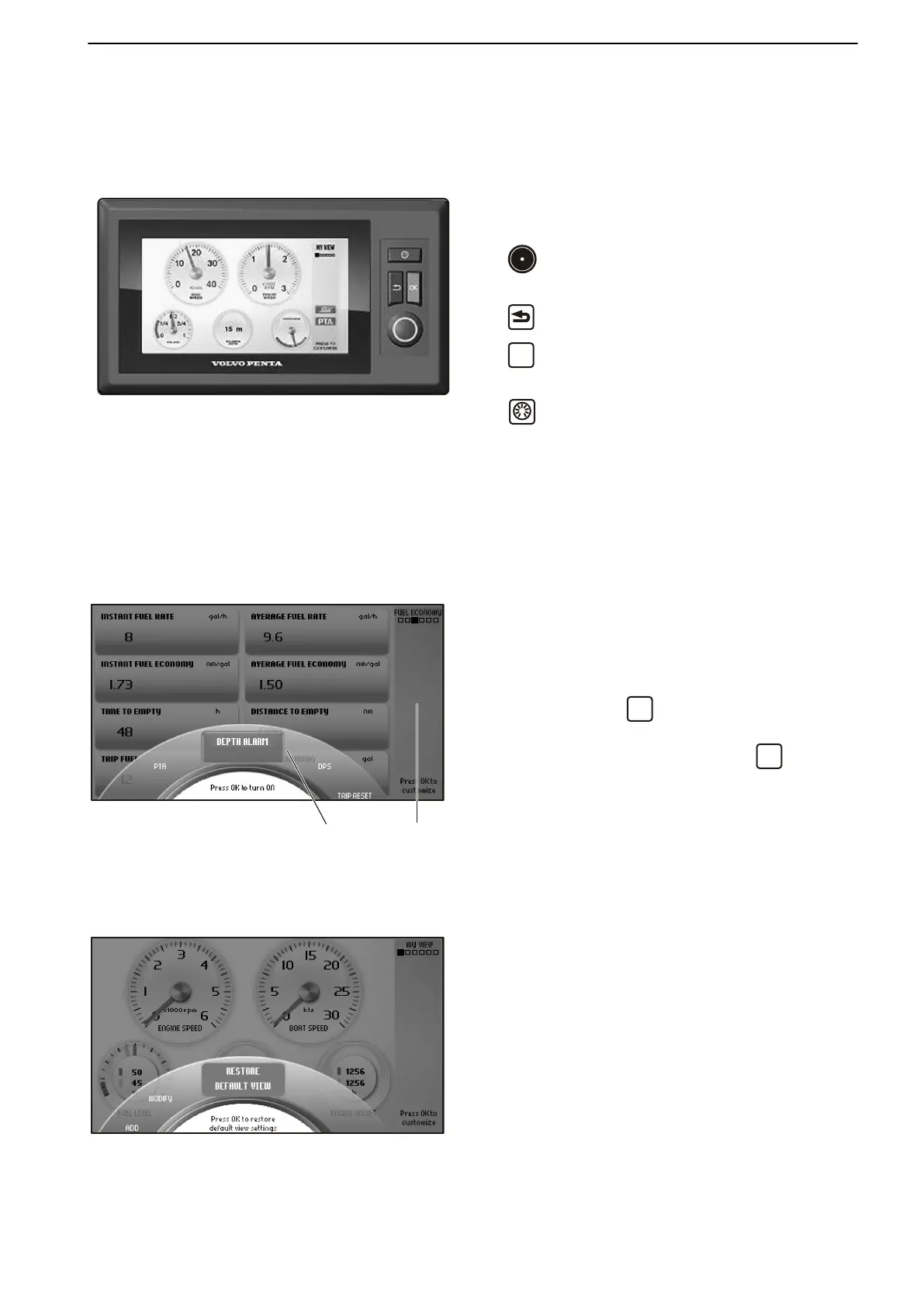
7" Color Display
The Volvo Penta 7" color display is controlled by
means of buttons:
Turn to browse through submenus and to return
to the main menu, Select view.
Return to the previous menu.
Confirms selection; also used to access sub-
menus and the Settings menu.
Controls boat instrument backlighting.
NOTICE! Make a habit of protecting the screen with
the protective cover when the boat is not in use. Pro-
longed exposure to strong sunlight can damage the
screen and cause function faults.
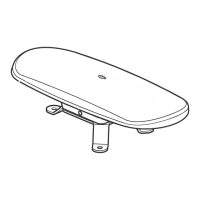
There is a status field on the right of the screen that
displays the current view, active functions and repaired
faults.
This status field will also indicate whether the safety
lanyard is connected SLY or disconnected (SLY).
Pop-up
A number of functions can be switched on and off in a
pop-up by pressing
, which will display the func-
tions in the lower part of the screen.
Turn to the desired function and press
to confirm
that the function is to be switched on or off.
Active functions are displayed by a symbol in the status
field on the right.
Trip Reset is also found here; refer to Fuel Economy.
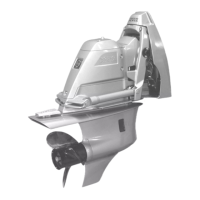
Restore Default View
The screen has a basic setting that can always be
returned to by pressing Restore Default View in the
Customize menu.
1 Pop-up menu
2 Status field
Instruments and Controls
47701898 12-2010 27



 To Next Page