D - Setting frequency selection
The radio can be used in most parts of the world by changing the frequency selection intervals as follows:
Depress and hold preset button 5 and turn the radio ON. "USA" will flash on the display.
Each time button 5 is pressed, the frequency selection will change from "USA" to "AUS", etc. When the correct
country name is displayed, wait 5 seconds and the radio will be ready for use.
E - Manual tuning
Press the left side tune button to tune to lower frequencies and the right side to tune to higher frequencies. The tuned
frequency is displayed.
ST will be displayed to indicate stereo FM reception.
pg. 131 Radio SC-813
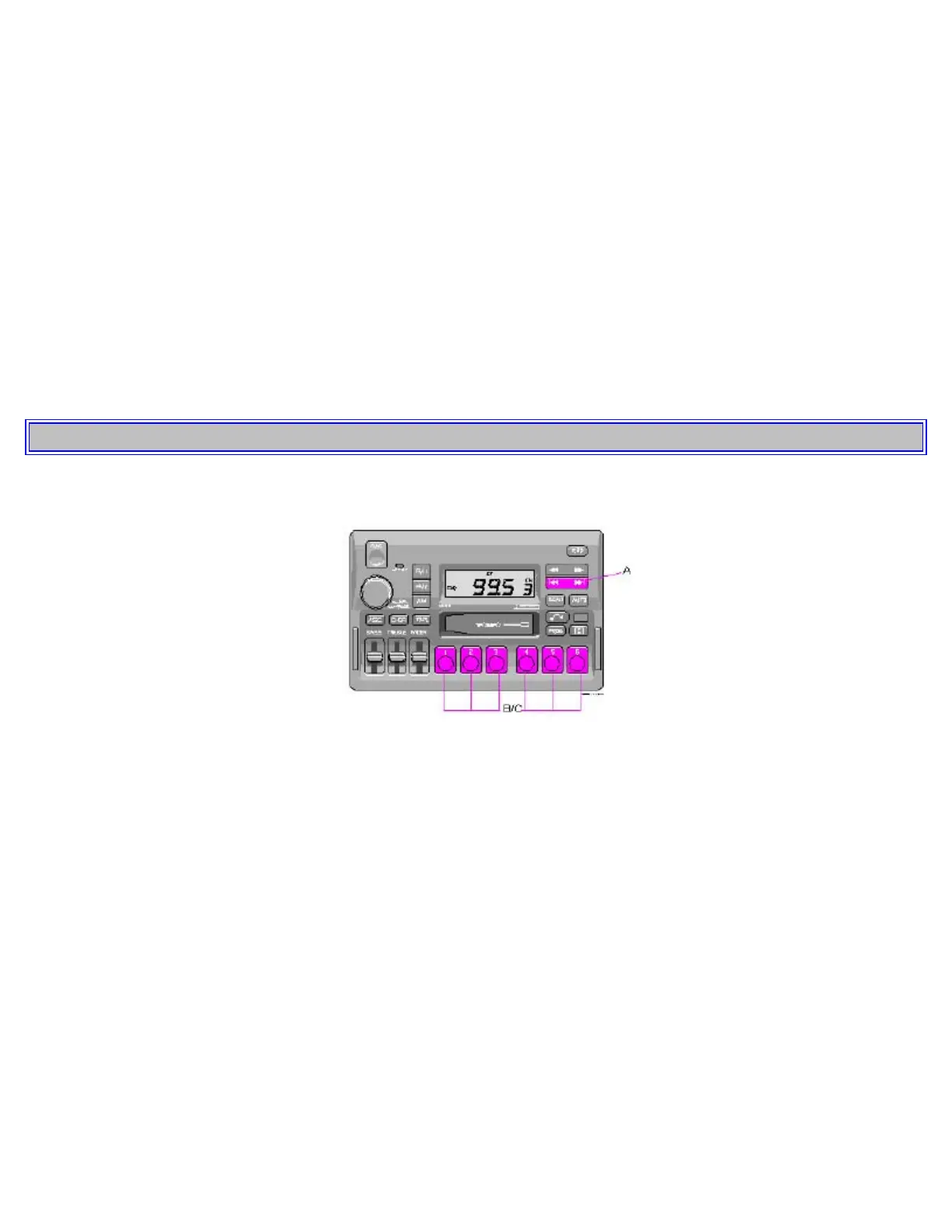
A - Seek tuning up/down
Press the left side tune button to tune to lower frequencies and the right side to tune to higher frequencies. The radio
seeks the next audible station and stops there. If you wish to continue the seek tuning, press the tune button again.
B - Preset programming
1. Tune to the desired frequency.
2. Depress and hold a preset button. The audio will cut out. Keep the button depressed until the audio comes on again
(approx. 2 seconds).
3. The frequency is now stored on this preset button.
C - Preset buttons
To select a pre-programed radio frequency, depress the preset button. The set frequency will be displayed.



 To Next Page