Switch On/Off (1)
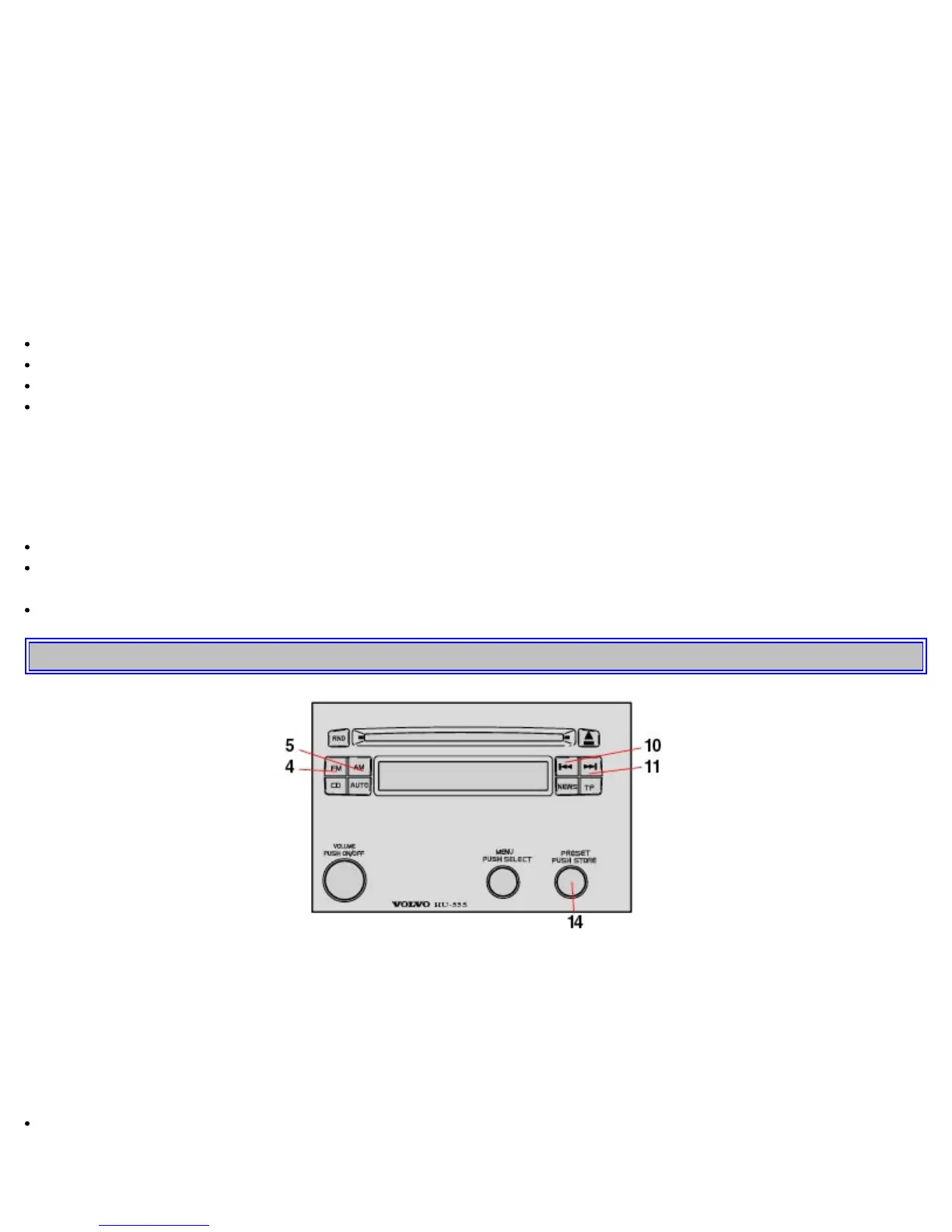
Press VOLUME to switch the unit on or off.
Volume control (1)
Turn VOLUME clockwise to increase volume.
NOTE: When listening to TP, NEWS or ALARM, the radio stores the most recently used volume level in these
modes.
Bass/Mid/Treble and
Balance/Fader (15)
Turn the MENU knob to enter the Main menu
Turn the knob again to choose Bass/Mid/Treble/Balance or Fader settings menu
Press to select an alternative
Adjust by turning the knob clockwise or anti-clockwise.
NOTE: If no other selection is made within 8 seconds, the radio will return to its normal mode and retain the new
setting.
If you would like to exit the menus manually or make a new adjustment:
Press again to return to the Bass/Mid/Treble/Balance or Fader settings
Turn to make a new choice from Bass/Mid/Treble/Balance or Fader settings, or select the factory settings by
choosing SET TO ALL "0"
Press again to confirm or select EXIT and press to exit the menus.
pg. 133 Radio - general functions
Select radio band (4, 5)
Press button (4) to select FM or (5) to select AM. The station and band are displayed.
Select a radio station (10, 11, 14)
There are four ways to select a radio station:
Select preset stations with the PRESET knob.
• Select among the AUTO tuned stations with the PRESET knob after using the AUTO function.
• Use buttons (10) or (11) in SEEK mode.



 To Next Page