05 Infotainment system
Quick start
05
``
* Option/accessory, for more information, see Introduction.
225
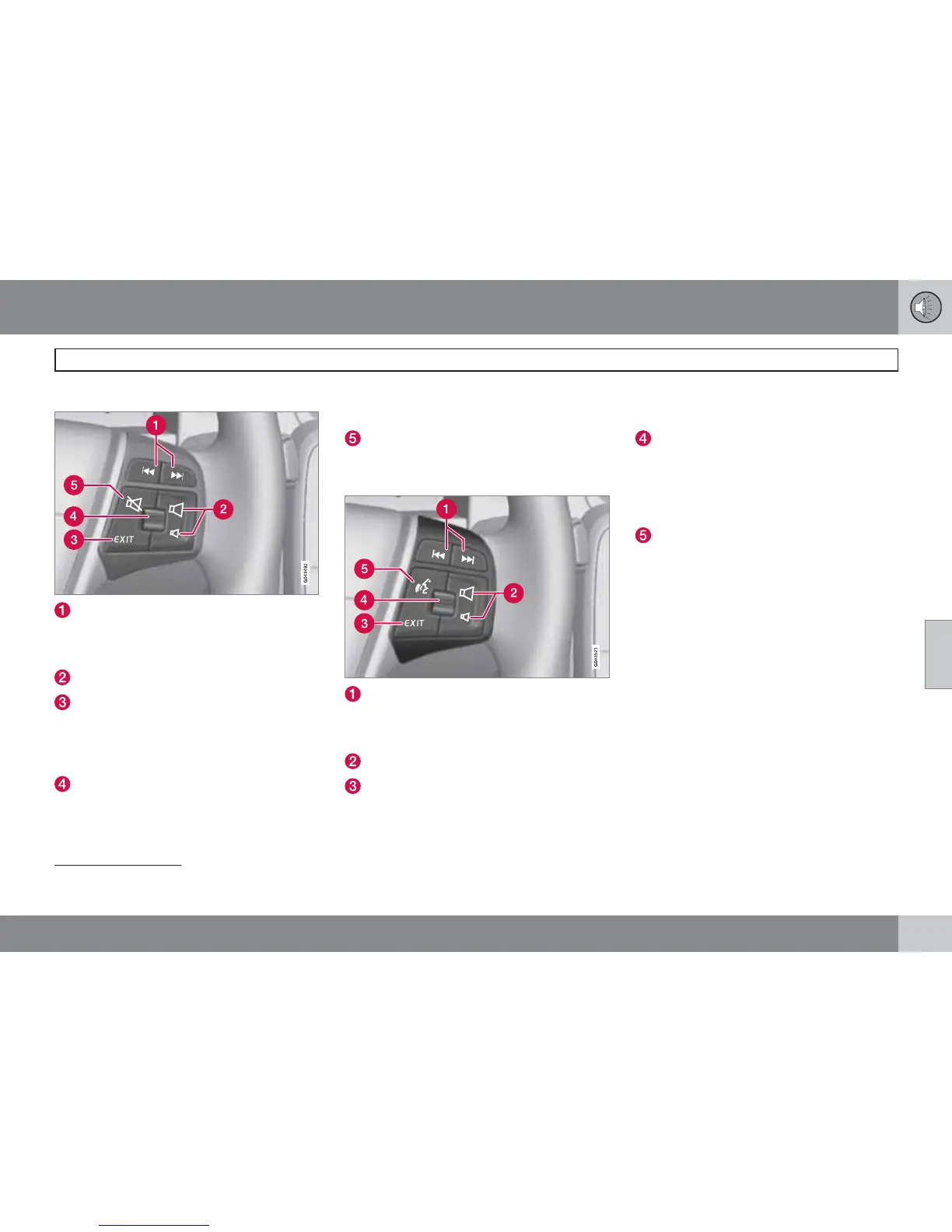
Keypad with thumbwheel
Short presses scroll between disc tracks
or preset radio stations
2
. Long presses
are used to fast forward and rewind disc
tracks.
Volume
EXIT – leads up in the menu system. Inter-
rupt current function, end/refuse phone
calls, clear entered characters. One long
press leads to the highest menu level
(parent view), see page 224.
Thumbwheel - turn up/down to scroll up
and down in the menu system. One press
on the thumbwheel leads to the menu
(equivalent to MENU), or confirms a selec-
tion (OK) in the menu system, and accepts
phone calls.
MUTE - switches off the sound
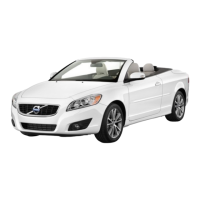
Keypad with thumbwheel, for voice
recognition
3
Short presses scroll between disc tracks
or preset radio stations
2
. Long presses
are used to fast forward and rewind disc
tracks.
Volume
EXIT – leads up in the menu system. Inter-
rupt current function, end/refuse phone
calls, clear entered characters. One long
press leads to the highest menu level
(parent view), see page 224.
Thumbwheel - turn up/down to scroll up
and down in the menu system. One press
on the thumbwheel leads to the menu
(equivalent to MENU), or confirms a selec-
tion (OK) in the menu system, and accepts
phone calls.
Voice recognition (for Bluetooth
-con-
nected mobile phone and navigation sys-
tem*)
Rear control panel with headphones
socket*
Headphones with an impedance of
16-32 ohm and sensitivity of 102 dB or higher
are recommended for best sound reproduc-
tion.
2
Does not apply to DAB.
3
Only cars with navigation.


 To Next Page