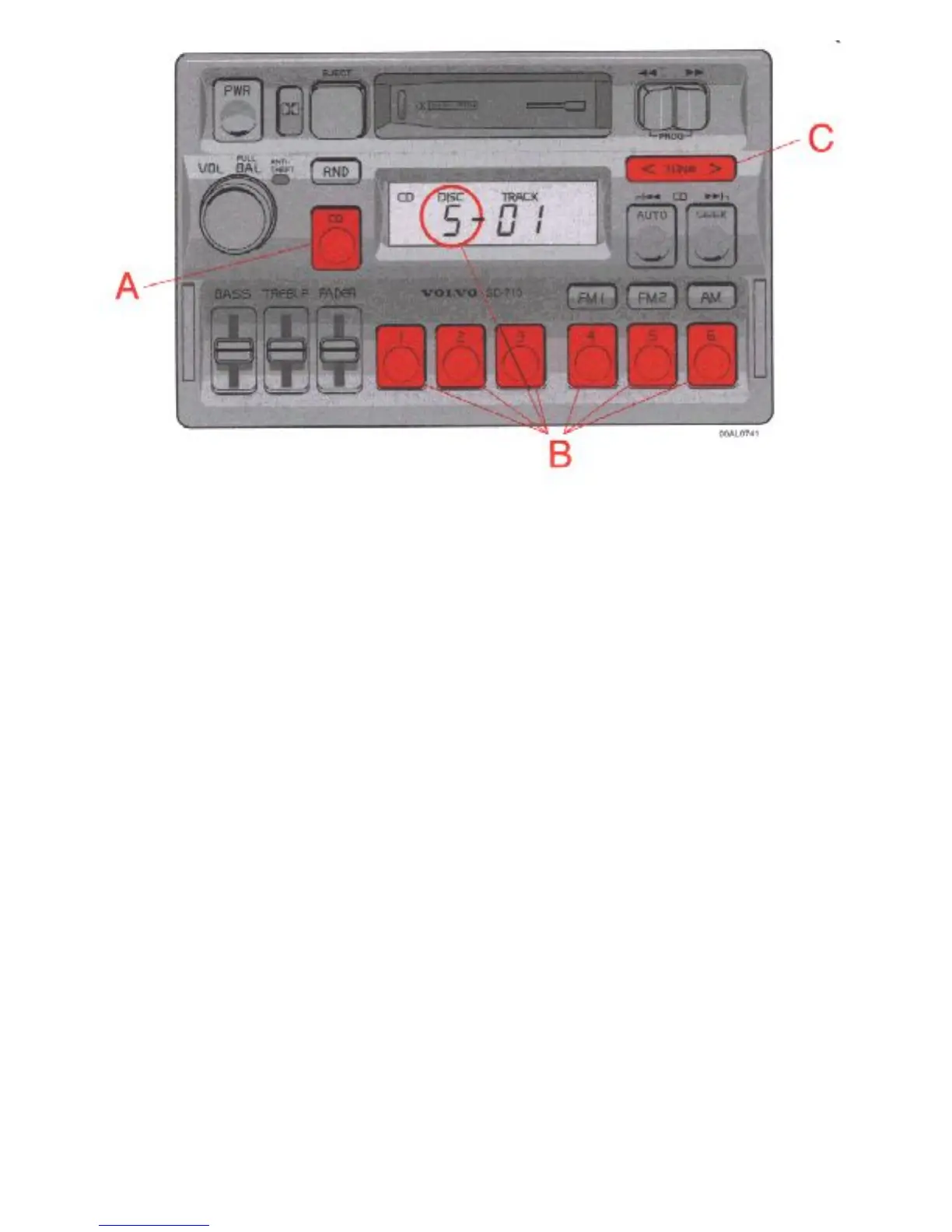
A - CD mode selector
Press "CD" to actuate the CD mode. The disc/track last listened to will continue to play. If the CD-
changer cartridge * is empty, "---- will be displayed.
If a selected disc does not exist, the disc number and "5---" will be displayed and the next disc will be
automatically selected.
* The functions pertaining to the CD-changer are only applicable if the unit has been connected to the
Volvo CD-changer which is sold separately as an accessory, or on certain models, standard on the car.
B - Disc number selector
Depress one of the preset buttons (1-6) to select the disc number desired. The selected disc number and
track number will be displayed.
C - Music search
Press the TUNE button to search within a track. While the button is depressed the playing time for this


 To Next Page