track will be displayed.
pg. 1:28 CD - Remote (certain models)
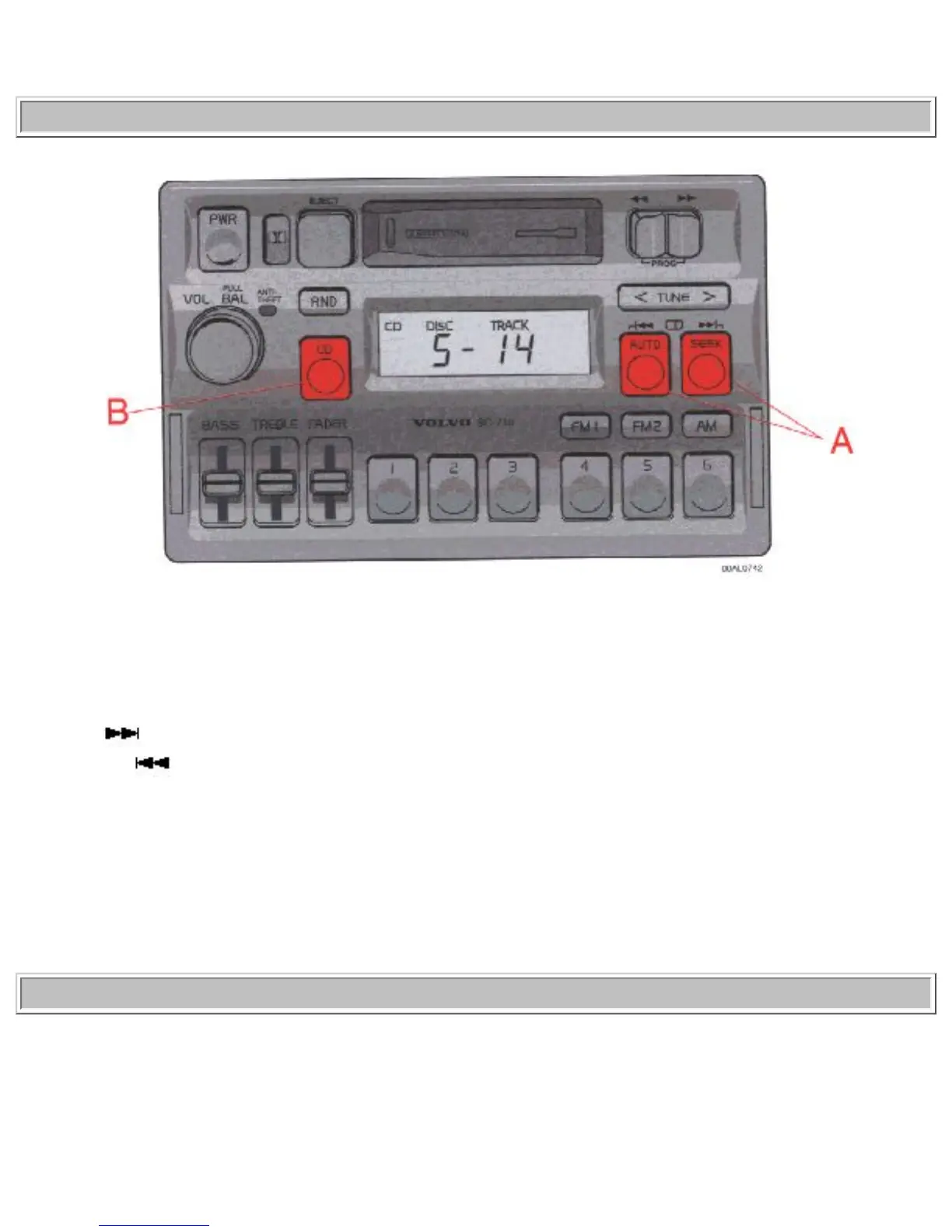
A - Changing the selected track number
Press CD
(SEEK) button to select the next track.
Press the CD
(AUTO) button to select the previous track.
The chosen disc number and track number will be displayed.
B - Playing-time display
When the CD button is pressed the playing time for the current track is displayed for 5 seconds.
pg. 1:29 CD - Remote (certain models)


 To Next Page