02 Instruments and controls
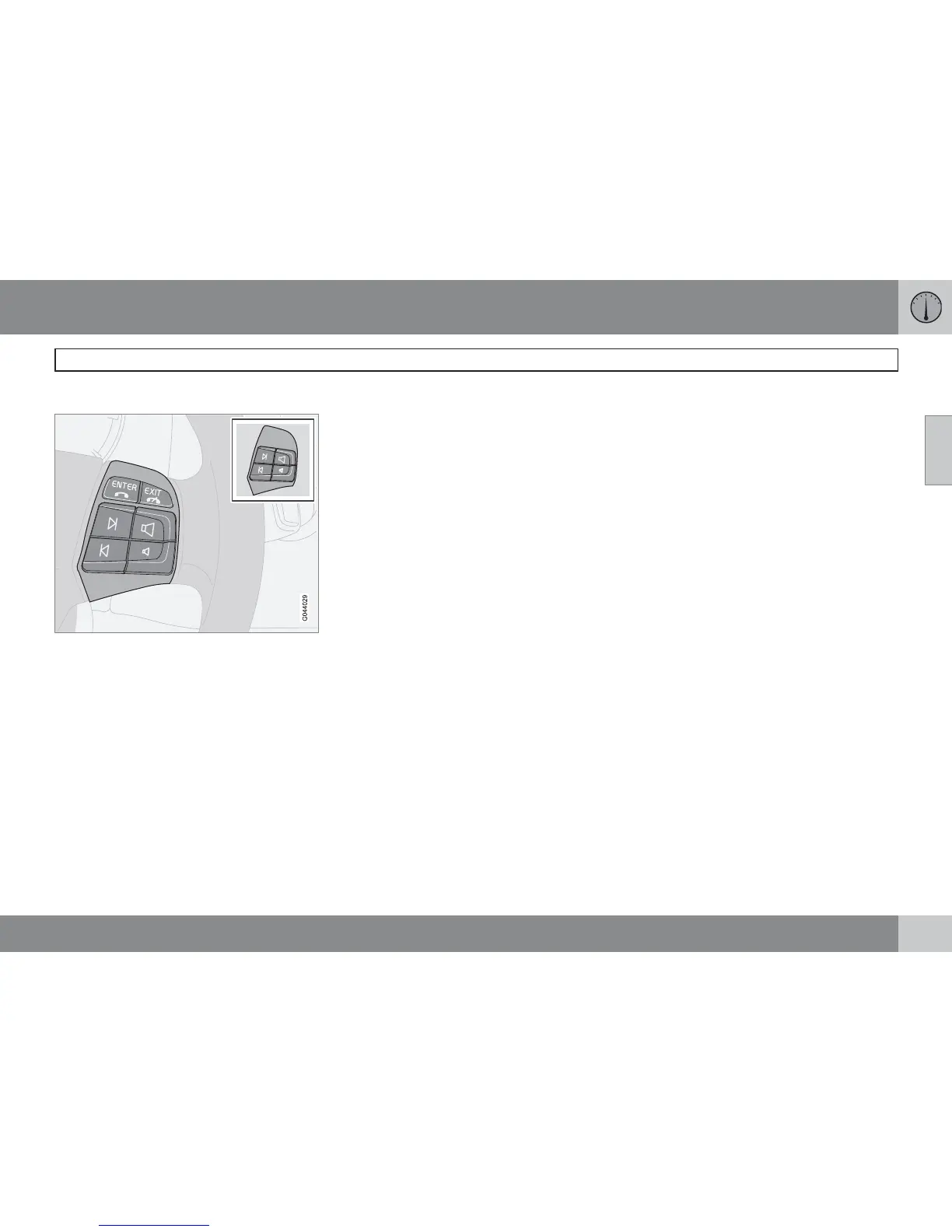
Keypad in the steering wheel*
02
* Option/accessory, for more information, see Introduction.
67
Button functions
The keypad is available in two versions depending
on the equipment in the car.
The four buttons at the bottom of the steering
wheel keypad control the radio and the phone.
The function of a button depends on which
system is active. The steering wheel keypad
can be used to scroll between preset stations,
change CD tracks and adjust the volume.
Press and hold one of the arrow keys to
fast forward/reverse or search for the next
station.
The phone must be active to make settings in
the phone system. Activate the phone function
with the PHONE button in the centre console
in order to enable control of the phone system
with the arrow keys.
To return to Audio only, press EXIT.
With the ENTER button you can select, acti-
vate and deactivate options in menus. The but-
ton can also be used to access the folder struc-
ture and start the playback of audio files if a
disc with audio files is inserted in the CD player/
CD changer*. For more information, see
page 247.




 To Next Page