DISPLAYS AND VOICE CONTROL
}}
87
Related information
•
Trip computer (p. 84)
•
Resetting the trip meter (p. 87)
Resetting the trip meter
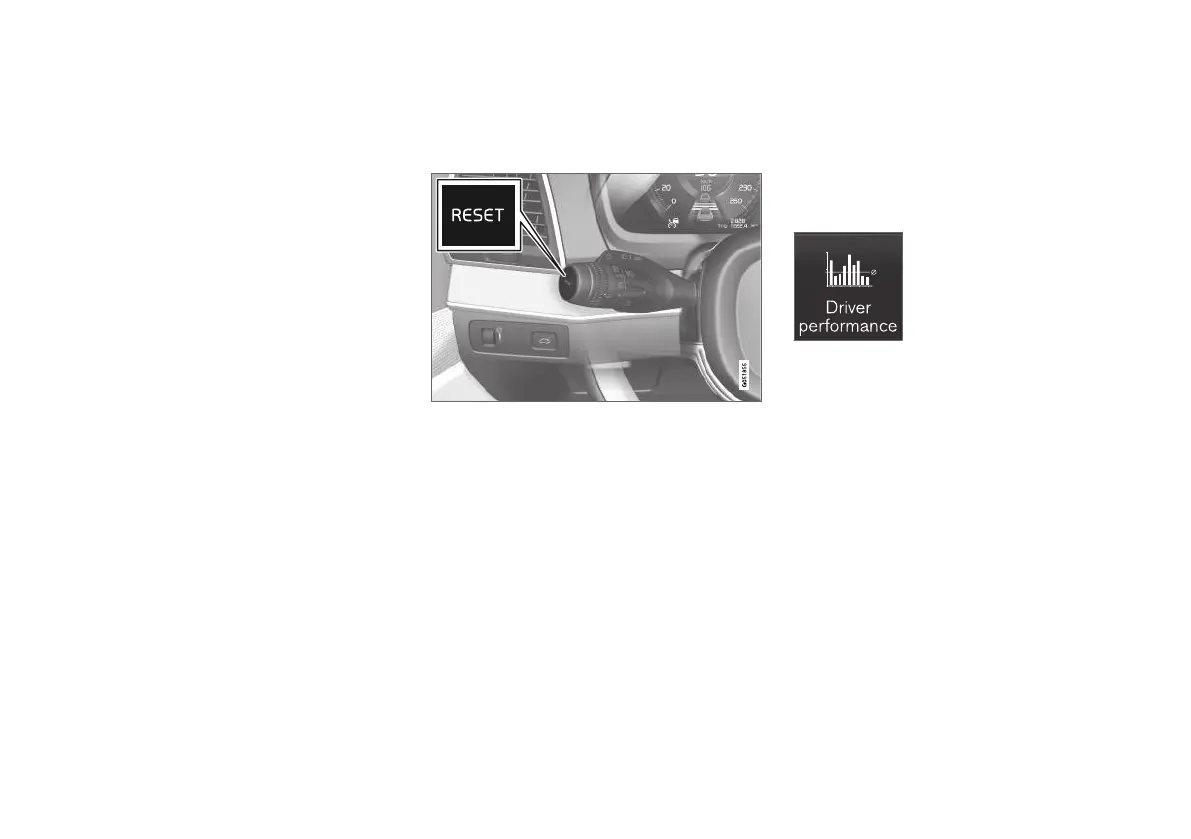
Reset the trip meter using the left-hand stalk
switch.
–
Reset all information in trip meter TM (i.e.
mileage, average consumption, average
speed and driving time) with a long press on
the RESET button on the left-hand stalk
switch.
A short press on the RESET button resets
only the mileage.
The trip meter TA can only be reset automatically
when the car has not been used for four or more
hours.
Related information
•
Trip computer (p. 84)
Show trip statistics in the centre
display
Trip statistics from the trip computer are dis-
played graphically in the centre display and pro-
vide an overview that facilitates more fuel-effi-
cient driving.
Open the Driver performance
app in app view in order to
show the trip statistics.
Each bar in the diagram sym-
bolises a distance of 1, 10 or
100 km, alternatively miles. The
bars are filled in from the right as driving pro-
gresses. The bar on the far right shows the value
for the current distance.
The average fuel consumption and total driving
time are calculated since the last time the trip
statistics were reset.



 To Next Page