4
M8504884
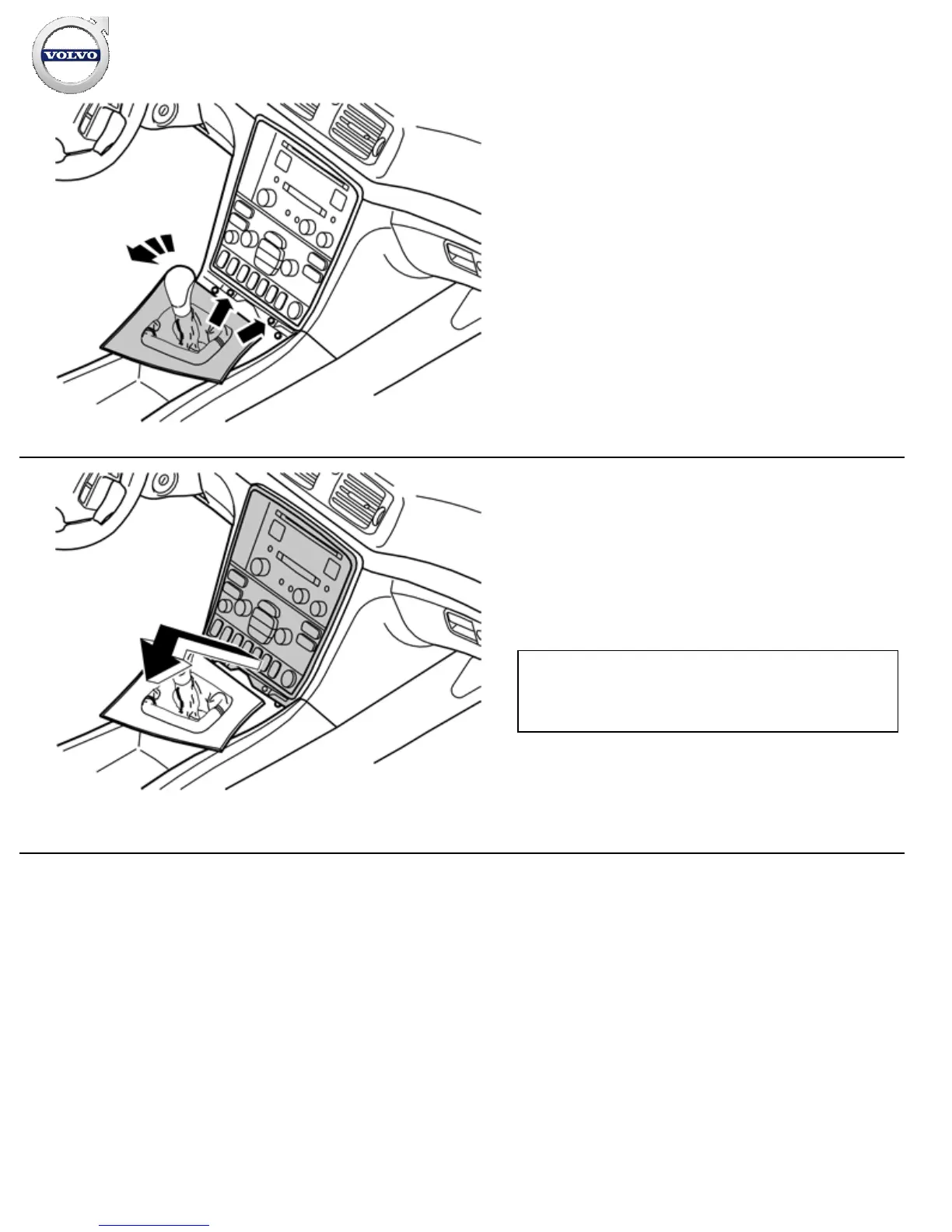
Engage the handbrake and move the gear selector lever towards
the rear.
Rotate the panel to the left for better access.
Remove the two screws holding the bracket with the radio and
dashboard environment panel in the centre console.
5
M8504890
Remove the console with dashboard environment panel and
radio from the centre console by pulling the lower edge out and
downwards until it releases from the mounting at the upper
edge. Then fold it backwards. If necessary, the panel around the
gear selector lever can be removed for additional space. The
panel is secured with four catches on the underside along the
gaiter.
Note!
Do not damage the removed components or the surrounding
panels.
Unplug the connectors from the radio and dashboard
environment panel, and if applicable, from the phone keypad.
Place the unit to one side.
Installation instructions, accessories
Volvo Car Corporation Gothenburg, Sweden



 To Next Page