VONETS——VAR11N PLUS 300M MINI WiFi Router
3
VAR11N PLUS Quick Setting Guide
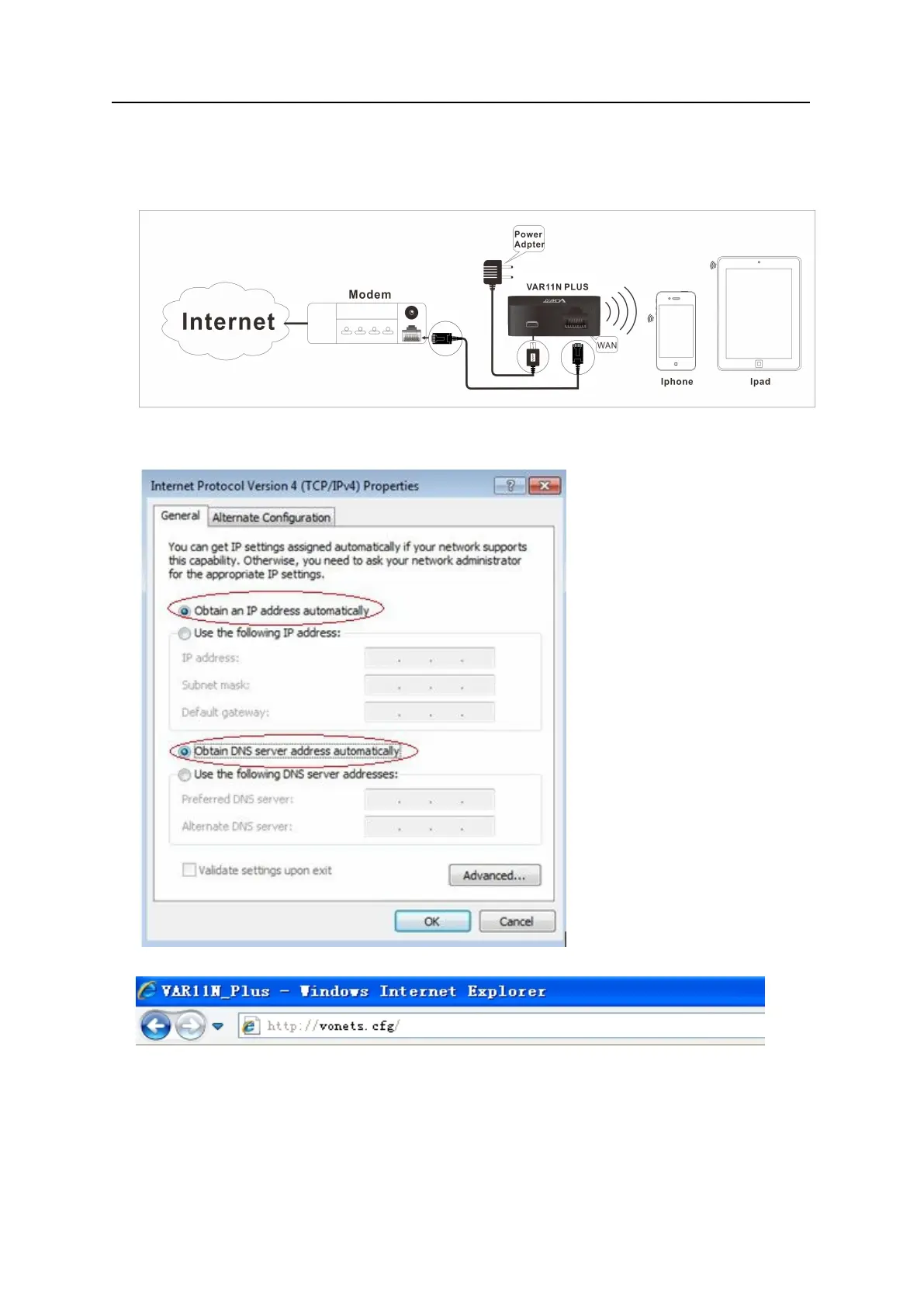
1. Connect VAR11N PLUS
Set computer IP address to automatically, please see the words in the red circle of
The following picture:
2. Open the IE browser, enter http://vonets.cfg virtual domain name setting (VDNS).
Remark:
Enter domain name, then Enter, the login page will appear, the default admin and
password is admin.



 To Next Page