VONETS——VAR11N PLUS 300M MINI WiFi Router
4
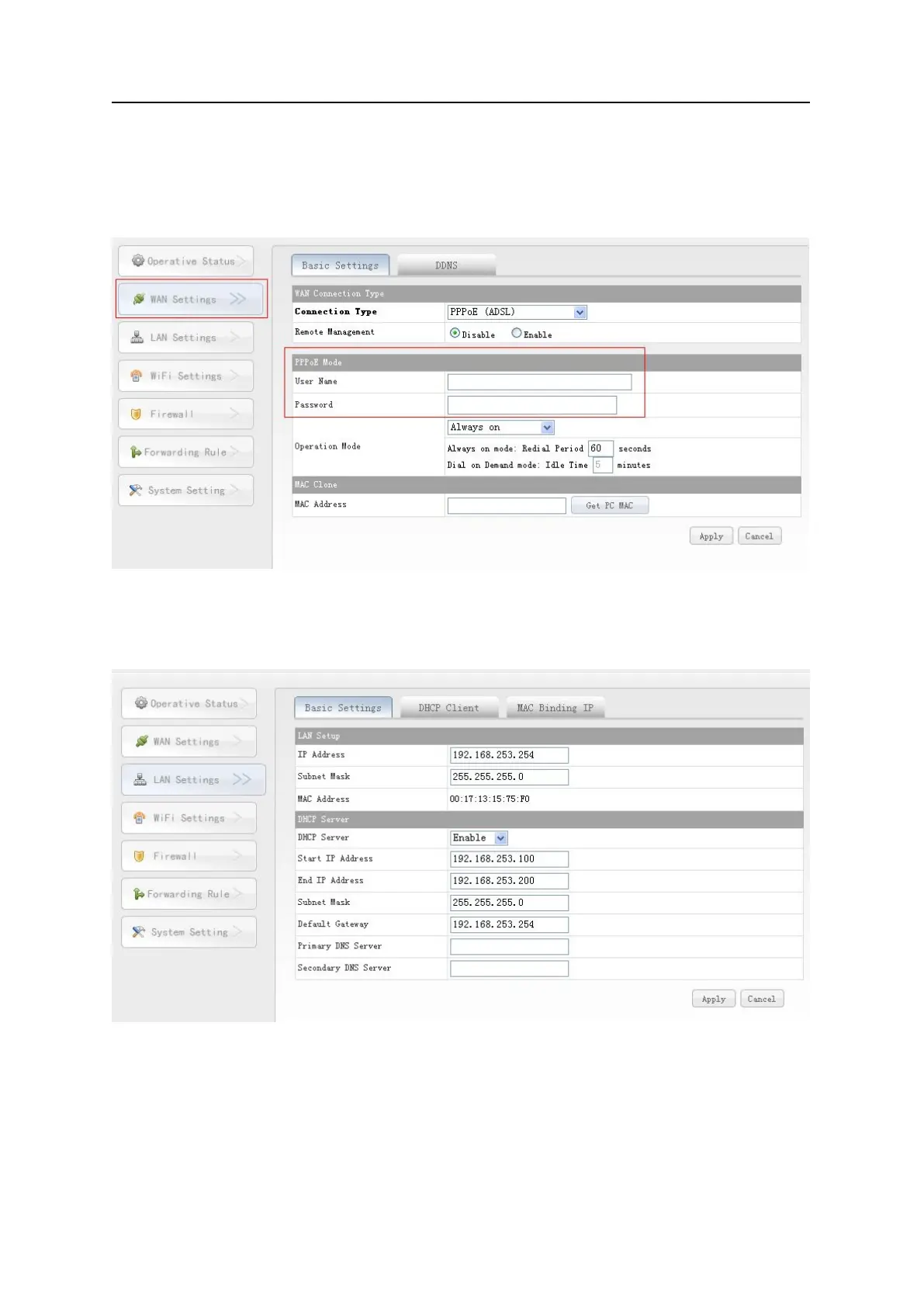
Click WAN settings button, choose the correct connection Type, enter the User
name and Password provided by ISP, click Apply, then ok, see the following
picture:
Enter webpage configuration, click LAN Setting, enable DHCP service, see the following
Shenzhen Houtian Network Communication Technology Co.,Ltd
http://www.vonets.com



 To Previous Page