VONETS - Wireless Module/Finished Product
13
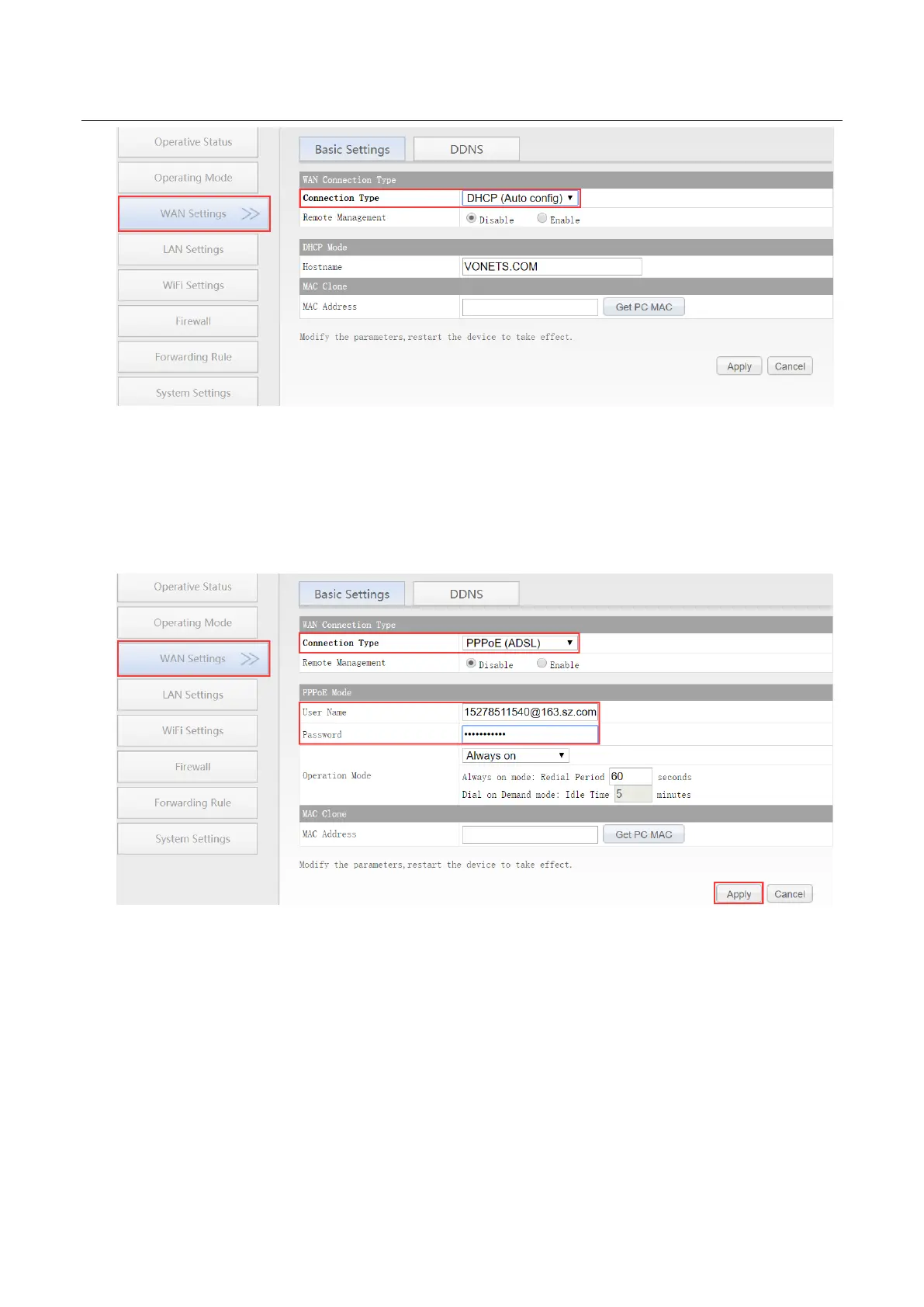
3.2.4 WAN port wired connect network——PPPoE
In “WAN settings”, select “Basic settings”, change the connection type to “PPPoE (ADSL)”,
then enter the Internet account and password provided by the ISP (Internet Service Provider), click
the “Apply” button, and then reboot VONETS module/WiFi product, then can access to network.
3.2.5 WAN port wireless connect network---- WiFi
1. In “WAN Settings”, select “Basic Settings”, change Connection type to “WiFi”, then click
“Scan Hotspots” to enter the scanning hotspot list.



 To Next Page