

EasyManua.ls Logo

VONMÄHLEN Air Beats Mini - User Manual

VONMÄHLEN Air Beats Mini
2 pages
Print Icon
To Next Page IconTo Next Page
Loading...
What‘s in the Box
Functions
QUICK-START GUIDE
Air Beats Mini
Power On / Off
BT / AUX-Mode
Factory Reset
Link / Unlink
Sound Mode
Volume Up
Next Song
Voice Assistant
Volume Down
Previous Song
1 sec
1 sec
1 sec
1 sec
10 sec
Short
Double
Double
Play / Pause
|
Answer Call / Hang Up
Bluetooth
®
Disconnect / Reconnect Last Device
1 sec
Short
Short
Short
QUICK-START GUIDE
Air Beats Mini
Scan the QR-code for
more product information
or for other languages.
Question and Answer IconNeed help?

Do you have a question about the VONMÄHLEN Air Beats Mini and is the answer not in the manual?

Summary

Whats in the Box

Device Functions

Factory Reset

Resets the device to factory settings with a 10-second press.

Power On;Off

Turns the device on or off with a 1-second press.

Mode Switching

Switches between Bluetooth and AUX modes with a short press.

Volume Control

Adjusts volume up or down with a short press.

Track Navigation

Navigates to the previous or next song with a 1-second press.

Call and Playback Control

Plays, pauses music, or answers/hangs up calls with a short press.

Sound Mode Selection

Changes the sound mode with a double press.

Voice Assistant Activation

Activates the voice assistant with a double press.

Bluetooth Connectivity Management

Links, unlinks, disconnects, or reconnects the last Bluetooth device.

Connectivity and Charging

Bluetooth Pairing

Guides through pairing the device with a smartphone via Bluetooth settings.

Charging and Aux Input

Illustrates USB-C charging and AUX cable connections.

True Wireless Stereo (TWS)

Pairing Speakers

Details steps for pairing two speakers for TWS, including master/slave setup and phone pairing.

Already Paired Speakers

Explains how to link already paired speakers or wait for pairing.

Technical Specifications

Overview

This document describes the Vonmählen Air Beats Mini, a portable Bluetooth speaker.

Function Description

The Air Beats Mini is a compact Bluetooth speaker designed for wireless audio playback. It supports Bluetooth pairing for streaming music from smartphones and other devices. The speaker also features a True Wireless Stereo (TWS) function, allowing two Air Beats Mini speakers to be paired together for a more immersive stereo sound experience. Additionally, it has an AUX input for wired audio connections and a USB-C port for charging.

Important Technical Specifications

  • Total Output: 5W (RMS)
  • USB-C Charging Port: 5V-1A
  • Optimal Room Temperature: -20°C to 60°C (-4°F to 140°F)
  • Optimal Storage Temperature: -40°C to 70°C (-40°F to 158°F)
  • Product Size: L 75 x W 99 x H 72 mm
  • Weight: 254 g

Usage Features

The Air Beats Mini offers a range of user-friendly features controlled via its intuitive button layout:

Power and Mode Control:

  • Power On/Off: Press the power button for 1 second.
  • Sound Mode: Double-press the power button to cycle through different sound modes.
  • BT / AUX-Mode: Press the Bluetooth button for 1 second to switch between Bluetooth and AUX input modes.

Playback and Volume Control:

  • Play / Pause: Short-press the play/pause button.
  • Answer Call / Hang Up: Short-press the play/pause button during a call.
  • Volume Up: Short-press the "+" button.
  • Volume Down: Short-press the "-" button.
  • Next Song: Press the "+" button for 1 second.
  • Previous Song: Press the "-" button for 1 second.

Bluetooth Pairing:

  • Bluetooth Connect / Reconnect Last Device: Press the Bluetooth button for 1 second.
  • To pair with a new device, ensure the speaker is in Bluetooth mode. On your smartphone, navigate to Settings > Bluetooth and select "Vonmählen Air Beats Mini" from the list of available devices.

True Wireless Stereo (TWS) Pairing: This feature allows two Air Beats Mini speakers to work together as a stereo pair.

  1. Power On: Power on both speakers.
  2. Link Mode On (Master Speaker): On the speaker designated as the "Master," press the Bluetooth button for 1 second to enter link mode.
  3. Wait Until Paired: The speakers will automatically attempt to pair with each other.
  4. Pair With Phone (Master Speaker): Once the speakers are linked, pair your phone with the "Master" speaker via Bluetooth.

If the speakers were already paired with a phone:

  1. Link Mode On (Paired Speaker): On one of the speakers (which will become the Master), press the Bluetooth button for 1 second.
  2. Wait Until Paired: The speakers will link, and the Master speaker will automatically reconnect to the previously paired phone.

Voice Assistant:

  • Voice Assistant: Double-press the play/pause button to activate your device's voice assistant.

Factory Reset:

  • Factory Reset: Press the power button for 10 seconds to restore the speaker to its factory settings.

Maintenance Features

Charging: The Air Beats Mini is charged via a USB-C port. Connect the provided USB-C cable to the speaker and a power source (e.g., a wall adapter or computer USB port). The charging indicator light will show the charging status.

Optimal Environment: To ensure longevity and optimal performance, operate the speaker within the recommended room temperature range of -20°C to 60°C (-4°F to 140°F). For storage, the optimal temperature range is -40°C to 70°C (-40°F to 158°F). Avoid exposing the device to extreme temperatures or humidity.

The manufacturer reserves the right to make changes without notice in the interest of technical progress.
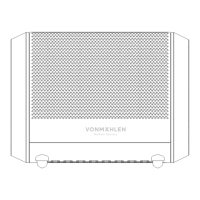
VONMÄHLEN Air Beats Mini Specifications

General IconGeneral
BrandVONMÄHLEN
ModelAir Beats Mini
CategorySpeakers
LanguageEnglish