2
disturbances, or when batteries are inserted. If this happens, push a thin lever into
the RESET hole on the back of the computer and hold it down for about 5 seconds.
The computer will be restarted, clearing its memory and returning to normal
operation.
2.3. Warning
• The chess pieces supplied with this chess computer may be small enough to be
swallowed. Please keep the chess pieces out of the reach of small children,
• Not suitable for children under age 6 years.
3. Detailed Guide and FAQS
3.1. The board and pieces
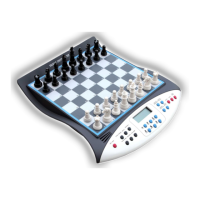
Set up the starting position on the board. When you do so, please note: The white
pieces are at the front (near the function keys and display).
3.2. How to move chess pieces
Move the pieces from start to destination by touching or pressing the sensor board.
3.3. How to start a new game
If you want to start a new game, press the "New Game" key twice. In this way chess
will start a new game.
3.4. Why can't I turn off or start a new game
①. In-game: You cannot start a new game or turn off the device until the
opponent has finished moving.
②. If you close an unfinished game, the next time you turn on the M820, it will
resume the game before closing. If you need a new game, press the NEW GAME
key twice.
4. The Keys and Functions
• RESET
Reset switch, press and hold for 5 seconds to reset to factory setting.


 To Next Page
 Loading...