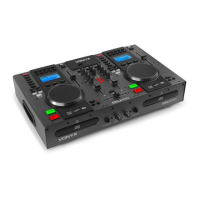
CONTROL PANEL
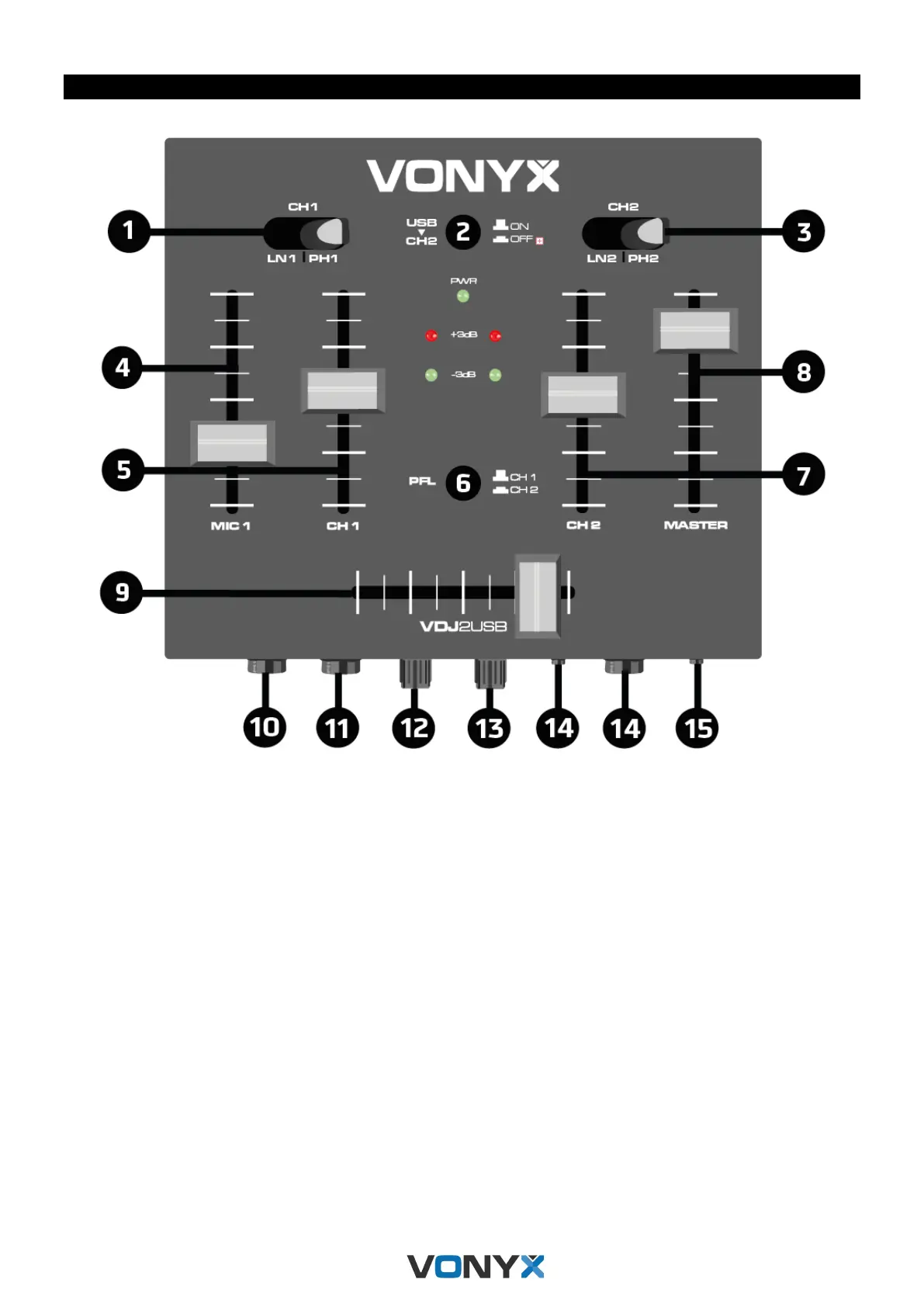
1. SWITCH CHANNEL 1: Line – Phono
2. USB TO CHANNEL 2: Push this button to play from your computer with the USB Kabel
3. SWITCH CHANNEL 2: Line – Phono
4. MIC VOLUME 1: Volume control of the microphone
5. CHANNEL 1 FADER: This fader will allow you to adjust the Channel volume of the Channel 1.
6. PFL: Switch between channel 1 and channel 2 for pre listen.
7. Channel 2 FADER: This fader will allow you to adjust the Channel volume of the Channel 2.
8. MASTER VOLUME FADER: This fader will allow you to adjust the master volume of the unit
9. CROSS-FADER: Slide for step less cross-fading from one to another assigned channel
10. MIC 1 INPUT: 6.3mm ¼” input jack for connecting a microphone.
11. MIC 2 INPUT: 6.3mm ¼” input jack for connecting a microphone.
12. MIC VOLUME 2: Volume control of the microphone
13. HEADPHONE Control: Control the volume of the headphone
14. HEADPHONE INPUT: Connect your headphones with a 6.35mm or 3.5mm stereo jack.
15. STEREO IN: Put here you stereo line input



 To Next Page