
 Need help?
Do you have a question about the VOO TC7210.V and is the answer not in the manual?
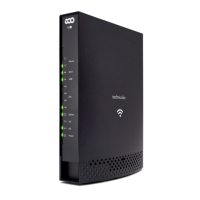
Overview of the modem's front panel features and indicators.
Overview of the modem's rear panel connectors and buttons.
Guide to connecting to Wi-Fi using Windows 7, 8, and 10.
Guide to connecting to Wi-Fi using Windows Vista.
Guide to connecting to Wi-Fi using Windows XP.
Guide to connecting to Wi-Fi using Mac OS X.
Steps to change the Wi-Fi network name (SSID) for main or guest networks.
Steps to change the Wi-Fi network password (WPA Pre-shared Key).
Guide to changing the Wi-Fi channel for optimal performance.
Overview of modem services and access to configuration.
Information about the modem's device and software status.
Status of the modem's connection to networks (HFC, IP).
Restoring factory settings or restarting the modem.
Performing a Ping test to check network connectivity.
Analyzing modem activity through SNMP events.
Configuring the modem's router mode (dual stack, bridge, IPv4/IPv6).
Backing up or restoring modem settings.
Configuring local area network settings (IP gateway, DHCP).
Information about the WAN (Internet) configuration.
Displays the list of devices connected to the modem.
Configuring the Dynamic DNS service.
Enabling/disabling Internet services and protocols.
Filtering Internet connection by IP address.
Filtering Internet connection by MAC address.
Filtering network traffic based on specified ports.
Enabling devices to be reached from outside (Internet).
Customizing port redirection settings for local devices.
Making a specific device accessible from the WAN (Internet).
Blocking web content like cookies and JavaScript.
Blocking Internet access by day and hour for devices.
Blocking access to certain websites using keywords or domain names.
Configuring settings for Wi-Fi 2.4GHz networks.
Configuring the main Wi-Fi 2.4GHz network (SSID, security).
Configuring the guest Wi-Fi 2.4GHz network.
Authorizing access to the modem interface via Wi-Fi.
Expanding the 2.4GHz Wi-Fi network with devices like repeaters.
Configuring settings for Wi-Fi 5GHz networks.
Configuring the main Wi-Fi 5GHz network (SSID, security).
Configuring the guest Wi-Fi 5GHz network.
Authorizing access to the modem interface via 5GHz Wi-Fi.
Expanding the 5GHz Wi-Fi network with devices like repeaters.
Configuring the DLNA server and file sharing.
Enabling or disabling USB flash drive or hard disk sharing.
Authorizing access to specific USB devices.
Configuring shared directories on USB devices.
Specifying advanced network settings for USB devices.
Connecting a phone to the Wi-Fi modem.
Accessing VOO's Internet service via the modem.
Understanding modem indicator lights and their status.
Accessing modem interface without an internet connection.
Troubleshooting weak Wi-Fi signal issues.
Troubleshooting Wi-Fi network detection problems.
Troubleshooting slow internet speed issues.
Troubleshooting limited or non-existent Wi-Fi connection.
Troubleshooting DS, US, and Online LED indicators.
Troubleshooting a modem that is switched off.
Troubleshooting when the Ethernet LED is not lit.
Troubleshooting no dial tone on the landline phone.
 General
| Model | TC7210.V |
|---|---|
| Category | Modem |
| Type | DOCSIS 3.0 |
| Max Upload Speed | 20 Mbps |
| Ethernet Ports | 4 |
| Technology | DOCSIS |

 To Next Page