5
OPERATION
Overview
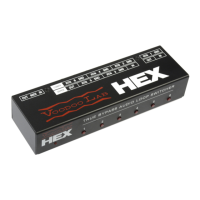
Use HEX front panel buttons to toggle each loop on or off. The buttons glow red
when the effect is engaged, otherwise it is in bypass.
You need a MIDI controller to recall preset combinations of effects. The following
sections explain how to control HEX with various controllers.
Use with Ground Control Pro
When connected to a Voodoo Lab Ground Control Pro, HEX functions exactly
like a GCX Guitar Audio Switcher.
GCX/HEX units are numbered in the order they appear in the MIDI chain. The
first unit connected to Ground Control Pro’s MIDI out will be GCX #1. A GCX or
HEX connected to the MIDI out of GCX #1 will be GCX #2, and so on.
Note: MIDI PC and CC must be disabled in HEX for this to work properly. Refer
to Setup: Enable MIDI Messages on page 7.
Setup Ground Control Pro like this:
1) Press both SETUP buttons to enter setup mode.
2) Press EXPANDERS.
3) Press YES/+ to turn on GCX-1. To enable another GCX, press BANK then
YES/+ to turn on GCX-2. You can enable up to four GCX/HEX modules.
4) Press either SETUP button to see “EXIT Y/N” then press YES/+ to exit setup
mode.
Refer to the Ground Control Pro user’s manual for a detailed description of how
to create presets and assign instant access buttons to individual loops.
Use with Commander
When connected to a Voodoo Lab Commander, HEX functions exactly like a
Pedal Switcher. With Commander, you can save and recall preset combinations
of HEX loop settings.
Refer to Commander Owner’s Manual for detailed information and instructions.


 To Next Page