1.Leftbutton
① Toselectmenuortoconfirmsettingvalue
② Tomoveto16/13/6/4CHindisplayscreenmodebypressing“DISPLAY”icon.
③ Torevertintothepreviousmultiplescreenmodefrom1CHsinglescreenmode
2.Rightbutton
① Indisplayscreenmode
13multiplescreenmode:Tomovetonextchannelbyonechannel.
9multiplescreenmode:Tomoveto1‐9channeland8‐16channel
6multiplescreenmode:Tomovetonextchannelbyonechannel
4multiplescreenmode:Tomoveto1‐4,5‐8,9‐12,13‐16channel
② Tomovetonextchannelfromsinglechannelinplaybackmode
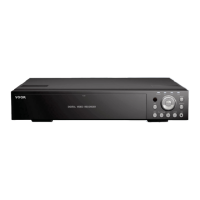
▮ KEYBUTTONOPERATIONONFRONTPANEL
1. ◀▶ :Tomovecursortoleft,orright
2. ▼▲ :Tomovecursortoup,ordown
3. :ENTERbutton.Toactivatethecorrespondingfunction.
51
4.Q.MENU:Togetoutofcurrentmenu
▮ Remotecontrolleroperation
1. ◀▶ :Tomovetoleftorright
2. ▼▲ :Tomovetoupordown


 To Next Page