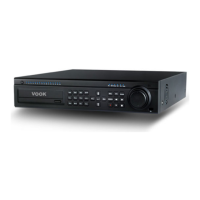
1.InsertblankCDinDVDROMofDVR.
2.SelectDVDfromDEVICEselection,andpressENTERbutton.
3.Withtheuseofdirectionkeybutton,selectchannel,date,timeandminuteto
copyrespectively.
4.Thebackupfilesizeisautomaticallycalculated.
5 Press "START“ to ba k p
.
6.Press“BACKUP”buttontoexittomenu.
1
. The format of V ROM begins.
2.SetupSTARTtime,and ENDtimeisautomaticallysetaccordingtothe
mediacapacity.Thebackupfilesizecanbecalculatedbychanging“START”
and“END”time.
3.Max.4.5GB(4500MB)isthefreespacein1DVDmedia.
Ittakesaround35minutes
4.Inabruptswitchoff,orcopyingnotcarriedoutnormally,takeout DVD
media,andstartitfromthefirststage.
5.USBcopyingisinthesamewayasabove.
6 Normal backup may not properly be performed if the free space of
USB driveislessthan512MB.
Don'tremoveDVD‐ROM,orUSBdriveforcefullywhilecopying.
Itmaycausesystemshutdown.
CAUTION


 To Next Page