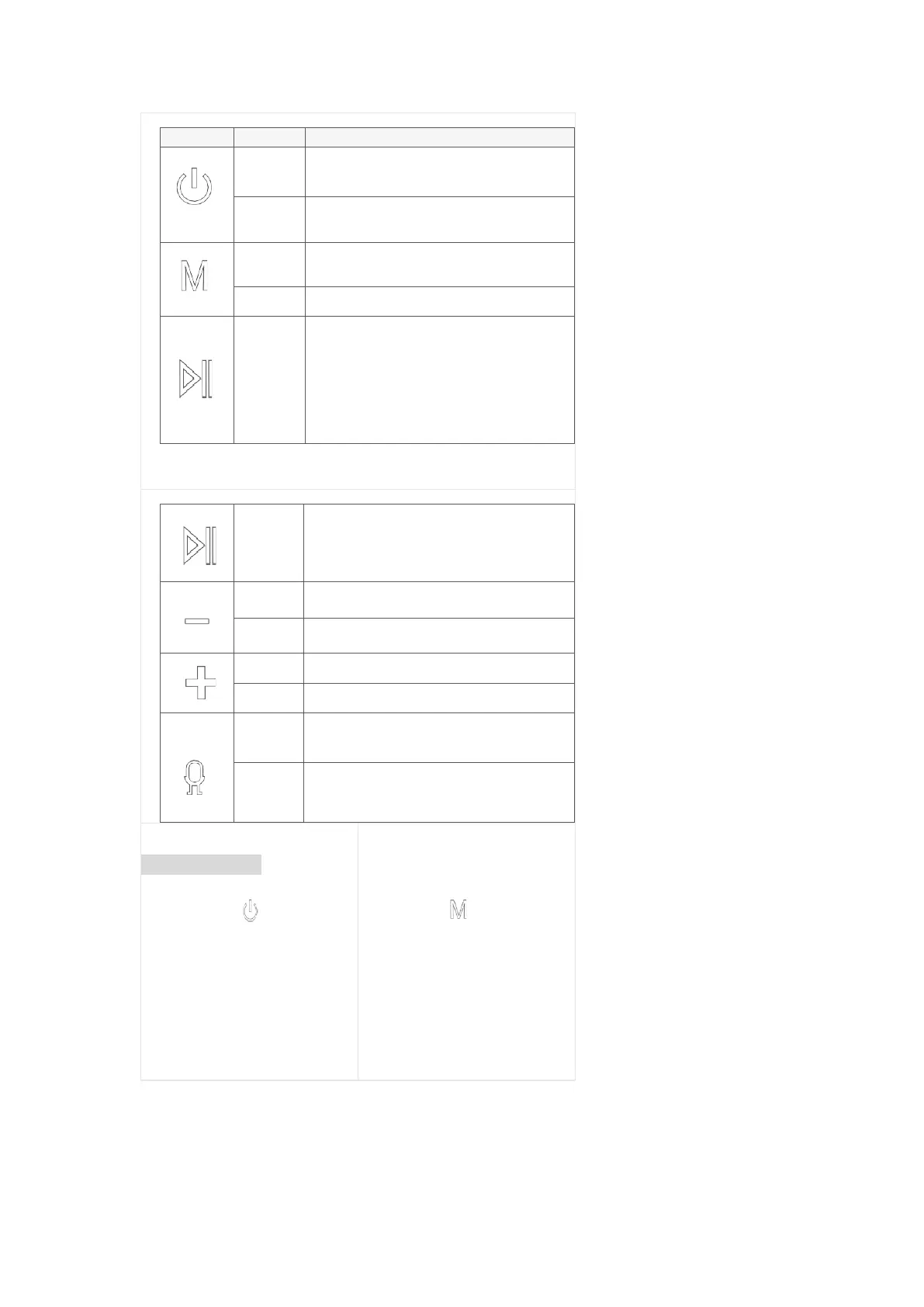
1. In the OFF state, short press to turn on
2. In the ON state, short press to turn off
In the state of Bluetooth to be connected, double-click to
enter TWS pairing mode.
Play mode switching: Bluetooth, AUX/Type-C cable,
microSD card
Sound switching: pop, vocal, heavy bass
1. Music play back status: play, pause function.
2. Call Answer: short press to answer.
3. When the call is answered, short press to hang up.
4. When the speaker is Bluetooth connected to
your phone: double-click quickly to call back the
last call made on the phone.
1. Bluetooth connection status: Long press for 2s
to disconnect.
2. When there is an incoming call: Long press for
2s to reject the call.
Volume down, total 16 levels
Volume up, total 16 levels
Bluetooth connection status: short press to wake up
phone voice assistant.
1. Bluetooth connection status: long press for 2s
to disconnect and forget the Bluetooth device.
2. Press and hold for 5s to reset the device.
LED
LED Indicators
Status Indicator
(Above the. “ ” key)
a. The blue light flashes quickly when
Bluetooth is ready to pair; the blue light is
always on when Bluetooth is connected
b. When the AUX / microSD card is playing,
the blue light flashes slowly; When the
Type-C cable is playing, the red and purple
lights flash alternately.
Sound Mode Indicator
(Above the “ ” key)
Press and hold for 2s to switch sound
effects;
a. A white light is on: Pop
b. Two white lights: Vocal
c. Three white lights on: Bass Boost


 To Next Page
 Loading...