EasyManua.ls Logo

VOONEX SOUND ArcWave - User Manual

VOONEX SOUND ArcWave
3 pages
Print Icon
To Next Page IconTo Next Page
Loading...
voonexsound.com support@voonexsound.com
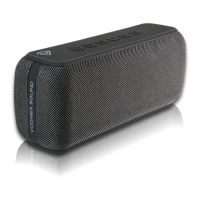
60W High Power Bluetooth Speaker
Specifications
Model: ArcWave F.R: 80Hz~18KHz
BT Version: 5.0 Distortion: ≤1%
BT Range ≥18 (Open field Speaker Unit: φ66MM
Speaker Power: 50W Playtime: ≥8H
Battery: 3.7V/6600mAh Charging Time: ≤3.5H
Input Power: Type-C 5V/2.1A Product Size: 220*95*72MM
Accessories
A U X Cable
Type-C Cable
Key Function
1. Status Indicator
2. Sound Mode Indicator
3. Play / Pause / Answer / Hang Ip
4. Volume Down / Previous Track
5. Volume Up / Next Track
6. Phone Assistant
7. Power On / Off
8. Sound Mode Button
9. Microphone
10. Type-C Charge Port / Audio port
11. microSD Card Slot
12. AUX In
Question and Answer IconNeed help?

Do you have a question about the VOONEX SOUND ArcWave and is the answer not in the manual?

Summary

Speaker Specifications and Accessories

Product Specifications

Details technical specifications including model, frequency response, BT version, distortion, range, unit size, power, battery, charging time, and dimensions.

Included Accessories

Lists the accessories provided with the speaker, such as AUX cable and Type-C cable.

Key Function Controls

Button and Port Identification

Identifies and lists the main buttons and ports on the device, including status indicators and playback controls.

Button Operations and Functions

Details the operating functions for each button, including power, mode switching, playback, volume, and assistant.

LED Indicator Functions

Explains the meaning of the status indicator and sound mode indicator lights.

Advanced Features and Playback

microSD Card and Cable Playback

Instructions for playing music via microSD card, AUX, or Type-C cable.

TWS Pairing Guide

Step-by-step instructions for pairing two speakers together for True Wireless Stereo (TWS) mode.

Overview

The ArcWave is a 60W high-power Bluetooth speaker designed for robust audio performance and versatile connectivity.

Function Description:

The ArcWave speaker offers multiple playback modes, including Bluetooth, AUX, Type-C cable, and microSD card. It features a range of controls for managing audio playback, calls, and sound settings.

  • Power On/Off: A short press of the power button turns the device on or off.
  • Bluetooth Connectivity: The speaker supports Bluetooth version 5.0, providing a stable connection up to 18 meters in an open field. It can be paired with a single device or configured for True Wireless Stereo (TWS) pairing with another ArcWave speaker.
    • TWS Pairing: To enter TWS pairing mode, double-click the power button when the speaker is in a Bluetooth-connected state. Once successfully paired, a beep will sound, and yellow indicators on both speakers will illuminate. The main speaker in TWS mode handles hands-free calls, while the sub-speaker remains silent during a call. TWS pairing is automatic after the initial setup. To reset TWS pairing, long-press the power button for 5 seconds.
    • Bluetooth Disconnect/Forget: A long press (2 seconds) of the play/pause button disconnects the Bluetooth connection. A long press (2 seconds) of the reset button disconnects and forgets the Bluetooth device.
  • Playback Control:
    • Play/Pause: A short press of the play/pause button controls music playback.
    • Volume Adjustment: Short presses of the volume down (-) and volume up (+) buttons adjust the volume, with a total of 16 levels.
    • Track Navigation: Long presses of the volume down (-) and volume up (+) buttons navigate to the previous and next tracks, respectively.
  • Call Management:
    • Answer/Hang Up: A short press of the play/pause button answers an incoming call or hangs up an active call.
    • Reject Call: A long press (2 seconds) of the play/pause button rejects an incoming call.
    • Call Back: Double-clicking the play/pause button quickly calls back the last number dialed on the connected phone.
  • Sound Modes: The speaker offers three sound effects: Pop, Vocal, and Bass Boost. These can be switched by long-pressing the "M" (mode) button for 2 seconds.
  • Mode Switching: A short press of the "M" button cycles through playback modes: Bluetooth, AUX/Type-C cable, and microSD card.
  • Phone Assistant: A short press of the phone assistant button wakes up the phone's voice assistant.
  • microSD Card Playback: The speaker supports microSD cards up to 64GB and music formats including APE, FLAC, WAV, and MP3. Inserting a microSD card automatically initiates audio playback.
  • AUX/Type-C Cable Playback: Audio can be played via AUX or Type-C cable. If connected via Bluetooth, press the "M" button to switch to cable playback mode.

Important Technical Specifications:

  • Model: ArcWave
  • Speaker Power: 50W
  • Frequency Response (F.R.): 80Hz~18KHz
  • Bluetooth Version: 5.0
  • Bluetooth Range: ≥18 meters (Open field)
  • Distortion: ≤1%
  • Speaker Unit: φ66MM
  • Battery: 3.7V/6600mAh
  • Input Power: Type-C 5V/2.1A
  • Playtime: ≥8H
  • Charging Time: ≤3.5H
  • Product Size: 2209572MM

Usage Features:

  • LED Indicators:
    • Status Indicator (above the power button):
      • Blue light flashing quickly: Bluetooth ready to pair.
      • Blue light solid: Bluetooth connected.
      • Blue light flashing slowly: AUX/microSD card playing.
      • Red and purple lights flashing alternately: Type-C cable playing.
    • Sound Mode Indicator (above the "M" button):
      • One white light: Pop mode.
      • Two white lights: Vocal mode.
      • Three white lights: Bass Boost mode.
  • Accessories: The device comes with an AUX cable and a Type-C cable for versatile connectivity.
  • Microphone: An integrated microphone allows for hands-free calling.
  • microSD Card Slot: Provides an additional option for local music playback.
  • Type-C Charge Port / Audio Port: A single port for both charging and audio input.
  • AUX In: Dedicated port for analog audio input.

Maintenance Features:

  • Reset Function: A long press (5 seconds) of the reset button (located below the phone assistant button) resets the device. This is useful for troubleshooting or re-establishing TWS pairing.
  • Warranty Card: A warranty card is included for maintenance records, allowing users to document the date of service and any malfunctions or causes. It is recommended to keep this card in a safe place.

VOONEX SOUND ArcWave Specifications

General IconGeneral
BrandVOONEX SOUND
ModelArcWave
CategorySpeakers
LanguageEnglish