Instructions :
1. Basic Operation
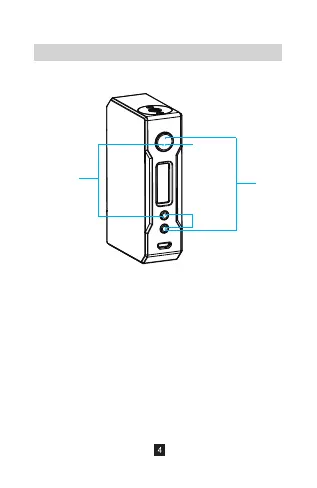
①. Press the fire button for 5 times: Power on/off
Press the fire button for 3 times: Sequently switch
from Power mode → FIT mode → TC mode
②. Press “+” and “-” buttons simultaneously:
Enter function menu
③. Press the fire and “+” buttons simultaneously:
Lock/Unlock
④. Press the fire and “-” buttons simultaneously:
Switch screen orientation.
①
②
④
③


 To Next Page