EasyManua.ls Logo

Vornado 154 - User Manual

Vornado 154
27 pages
Print Icon
To Next Page IconTo Next Page
Loading...
User Manual of Product 1:
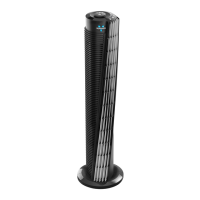
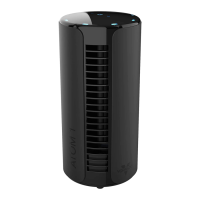
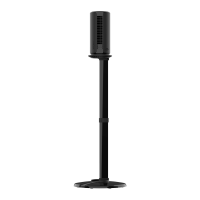
Vornado 184 Whole Room Air Circulator Tower Fan, 41",
184-41", Black
User Manual of Product 2:
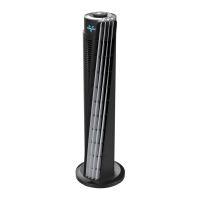
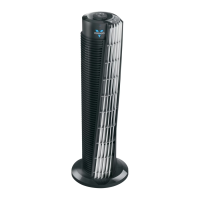
Vornado 143 Whole Room Air Circulator Tower Fan with Timer
and Remote Control, 29", Black

Questions and Answers

  • S
    Scott EllisJul 26, 2025
    What to do if my Vornado Fan doesn't turn on?
    • S
      sweeneyscottJul 26, 2025
      If your Vornado Fan isn't powering on, there are a few potential reasons. First, make sure the power cord is properly plugged into an electrical outlet. If it's plugged in, the unit may be damaged or require repair, in which case you should cease using it, unplug it, and contact Consumer Service for assistance. Also, check the fuse; it might need replacement. Refer to the IMPORTANT INSTRUCTIONS for guidance on replacing the fuse or contact Consumer Service.
  • J
    James ScottAug 4, 2025
    Why is my Vornado Fan remote not working?
    • B
      Brian ArnoldAug 4, 2025
      If your Vornado Fan remote control isn't working, the battery may not be installed. Refer to CONTROLS - Remote Control Battery on page 9 for instructions. If the battery is dead, replace it with a new 3 volt CR2032 battery; refer to CONTROLS - Remote Control Battery on page 9 for instructions. Also, the remote requires a direct line-of-sight path to the unit's receiver lens (located above the Vornado logo).
  • A
    Andrew MorganAug 15, 2025
    How to increase airflow in my Vornado 154 Fan?
    • T
      tammy56Aug 15, 2025
      To increase the airflow of your Vornado Fan, ensure that the unit is set to the highest setting for maximum air circulation. Allow the unit time to fully circulate the air throughout the room, as this may take several minutes. Also, check that all air inlets and the outlet grill are free from obstructions.

Summary

Important Safety Instructions

Child and Impaired Person Safety

Supervision needed for children under 12 and individuals with reduced capabilities.

Battery Safety for Children

Button cell battery in remote poses choking and burn hazard.

Installation Safety Precautions

Precautions for product placement, power cord, and avoiding water.

Safe Operation Warnings

Precautions to reduce fire, shock, and injury risk during operation.

Product Features Overview

Getting Started Guide

Base Assembly Instructions

Step-by-step guide for assembling the product base.

Optimal Placement Guidelines

Recommended positioning for optimal airflow and performance.

Airflow Direction and V-Flow

Explanation of V-Flow™ Circulation and positioning.

How to Use Your Circulator

Remote Battery and Cleaning

Remote Battery Replacement

Instructions for replacing the battery in the remote control.

Regular Cleaning Procedures

Step-by-step guide for cleaning the tower circulator.

Troubleshooting Common Issues

Product Warranty Information

Important Usage Instructions

Product Operation and Safety Warnings

Do not use on wet surfaces, in showers, or with damaged cords.

Cord and Plug Safety Guidelines

Proper handling and placement of the power cord and plug.

User Servicing and Fuse Replacement

Guidance on fuse replacement and product servicing.

Product Regulations and Battery Disposal

Battery Handling and Disposal

Details on battery type, handling, and disposal precautions.

FCC Compliance and Interference

Information regarding radio frequency energy and interference.

Controls and Remote Operation

Unit Control Panel Explained

Explanation of power, fan speed, and timer buttons.

Remote Control Usage and Storage

How to use the remote and its storage.

Remote Control Battery Guide

Instructions for battery installation and replacement.

Operating Tips and Best Practices

Maximizing Air Circulation Performance

Guidance on using the circulator's powerful airflow and settings.

Cleaning and Storage Guide

How to Clean Your Circulator

Step-by-step guide for cleaning the tower circulator.

Storage Recommendations

Instructions for storing the circulator when not in use.

Vornado 154 Specifications

General IconGeneral
BrandVornado
Model154
CategoryFan
LanguageEnglish

Related product manuals