6 7
MODE SELECTION
Your Fury
®
HD 5000 is factory set to the angle
compensating HCD ranging mode, best target mode, yards,
and maximum brightness. For most users, these are the
preferred settings.
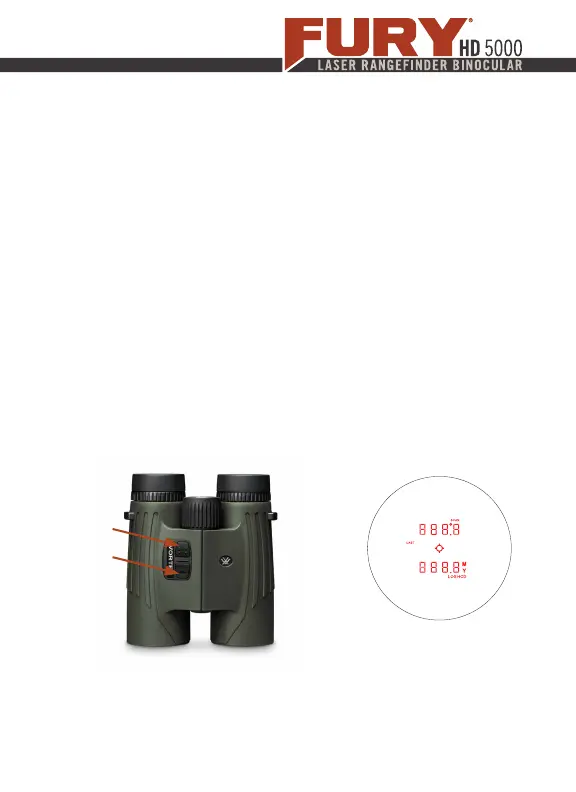
To change modes: Press and release the Measure button
to power on and then press and hold the Menu button for
at least four seconds. Once the Mode Selection screen
displays, release the button.
As you progress through Mode Selection, you may exit at
any time and save your settings by pressing and holding the
Menu button for at least four seconds—the Fury will return
to power-up condition.
Mode Selection Display
Menu
Button
Measure
Button


 To Next Page