VIPER
®
HD
9
8
LENS CARE
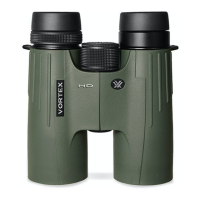
Maintain the optical brilliance of the Viper
®
HD binocular by
keeping lens surfaces free of dirt, oils, and dust.
Protect Lenses While Out in the Field
Make use of the provided eyepiece and tethered objective lens
covers to protect the lenses when not viewing. If the optics are
exposed to moisture, keep the caps off and allow the optics to dry
completely before putting them in the case for storage.
Keep Lenses Clean
In order to enjoy the best views through your binocular, take time
to regularly clean the exterior lenses:
1. Remove any dust or grit from lenses before wiping. Use a can of
pressurized air, soft camel hair brush, or an acrylic optical brush.
2. Clear lenses of smudges, fingerprints, or eyelash oil. Fog the
lenses with your breath, then use a non-abrasive lens cloth to
clean the lenses.
Note: Use lens cleaning fluid and optical paper to clean lenses. Never
use facial tissue, heavy cotton, or flannel clothing on lenses—these
materials can scratch the surface of a lens.
Caution: Binoculars are not intended for looking at the sun, or any
other intense light source. Such viewing could damage the retina
and cornea of your eyes—even to the point of causing blindness.
VIP WARRANTY
OUR UNCONDITIONAL PROMISE TO YOU.
We promise to repair or replace
the product. Absolutely free.
Unlimited.
Unconditional.
Lifetime Warranty.
Learn more at VortexOptics.com
service@VortexOptics.com • 1-800-4VORTEX
Note: The VIP Warranty does not cover loss, theft,
deliberate damage, or cosmetic damage not affecting
product performance.



 To Next Page