Focusing your binoculars
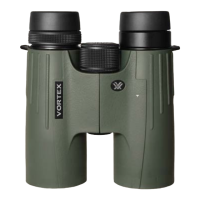
The Viper features a large center focus knob along with a locking
diopter adjustment ring on the right ocular. The diopter adjusts for
differences between your individual eyes. The correct procedure for
attaining proper focal balance using the center focus knob and the
diopter adjustment ring is:
a. Adjust the binoculars to your interpupillary distance (see page 3).
b. With your right eye closed (or with your hand over the right
objective lens), focus your left eye on a distant object with the
center focus wheel until the targeted object is in sharp focus.
c. Now adjust for your right eye. To
do this, first unlock the diopter ring
by sliding the ring upwards (towards
the right eyecup, see image at right)
until you hear an audible click.
Next close your left eye (or place
your hand over the left objective
lens) and focus your right eye on
that same distant object. Focus using
the diopter adjustment ring until the object is sharply focused.
Slide the diopter ring downwards (towards the binocular body)
to lock the diopter. Your binoculars should now be adjusted to
provide a clear and comfortable image.
Attaching the neckstrap
1. Starting with the right barrel, push the
right end of the strap through the right
strap attachment point. Push a work-
able amount of strap through.
4


 To Next Page