EasyManua.ls Logo

Vox Valvetronix ToneLab LE - Uninstalling the AcerISDN P10

Vox Valvetronix ToneLab LE
79 pages
Print Icon
To Next Page IconTo Next Page
To Previous Page IconTo Previous Page
Loading...
Chapter
2
Installation
2.7
Uninstalling
the
AcerlSDN
P10
The
setup
information
for
the
AcerlSDN
P10
is
saved
by
Windows.
If
you
decide
to
permanently
remove
the
AcerlSDN
P10
from
your
system,
you
must
run
the
uninstallation
program
from
the
AcerlSDN
P10
program
group.
To
remove
the
driver
and
utility
Programs
of
the
AcerlSDN
P10
from
your
system,
please
follow
these
steps.
1.
Open
the
“Programs”
folder
on
the
“Start”
menu
and
click
the
“AcerlSDN
P10”
item.
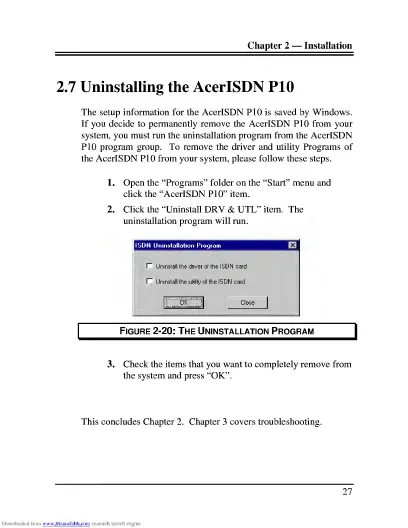
2.
Click
the
“Uninstall
DRV
&
UTL”
item.
The
uninstallation
program
will
run.
Figure
2-20:
The
Uninstallation
Program
3.
C
heck
the
items
that
you
want
to
completely
remove
from
the
system
and
press
“OK”.
This
concludes
Chapter
2.
Chapter
3
covers
troubleshooting.
27

Related product manuals