- 7 -
- 8 -
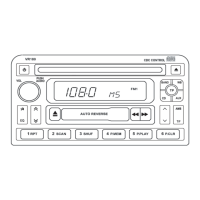
Press the down of the rock switch to select the following in turn:
FLAT-JAZZ-POP-CLASS-ROCK-VOCAL-DSP Off
5. Manual Setting
Manual tuning
Briefly press the button and start to tune in the required direction. D-
uring tuning, sound is muted. Hold the button, tuning changes rapidly
in the required direction.
CDC operation: Disc selection
Select disc forward or reward in the desired direction.
6. AMS and T/F button
Preset scan / Auto Store station
Preset scan
Briefly pressing can scan preset station rang 1 to 6 in desired band.
Auto-store station
Hold button down and the 6 stations with the strongest signals can be
stored automatically in the desired band. If less than 6 stations, other
settings don't change. Or if no station found, the radio automatically t-
unes to the former station.
Frequency/Time
Briefly press button to alter between frequency and clock. In time state,
hold button down and the hour digit flashes. The hour digit can be adju-
sted by turning the knob(2); Press again, minute can be adjusted as w-
ell. If no alternation within 5 seconds, radio exits the time state.
7. Preset button 1
The button serves :
--Store station and Play stored station
--In CDC mode, repeat track or disc play.
--In CD mode, repeat track play
Store station
--Select desired waveband
--Tune radio to desired station.
--Press the button for approximately 2 seconds and when the word
"M1"appears in the display, the station has be stored. Other preset
buttons appear relevant words, such as M2...
Note: When the new station stored, the old station stored can be r-
eplaced.
Play preset station
--Select desired waveband
--Briefly press button and emit the stored station.
--The band , frequency and preset digit appear in the display.
CD/CDC repeat play
--In CD/CDC mode, briefly press button, repeat current track to play.
--In CDC mode, press long for approximately 2 seconds, and repeat
the track of current disc to play.
--Press again to cancel the function of repeating play.
8. Preset button 2
The button serves:
--Store station and Play stored station
--Scan play in CD/CDC mode
Store station/ Play stored station , repeat the steps as 7
CD/CDC Scan play
--In CD mode, all tracks can be played for 10 seconds by pressing
the SCAN button.
--In CDC mode, the tracks of all the CDs in the CD changer can be
played for 10 seconds by pressing SCAN button.
--Press again to exit the SCAN function.
9. Preset button 3
The button serves:
OPERATING INSTRUCTIONS
OPERATING INSTRUCTIONS


 To Next Page
 Loading...