Need help?
Do you have a question about the VQ Hepburn Mk II and is the answer not in the manual?
Choose between digital/FM radio, saved preset, or last listened station.
Confirms the alarm is set and displays the 'Alarm Icon' on the device.
 General
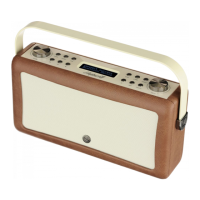
| Material | Leather, Plastic, Steel |
|---|---|
| Coloration | Monochromatic |
| Projection | No |
| Antenna type | External |
| MP3 playback | - |
| Product color | Green |
| Volume control | Rotary |
| Cables included | USB |
| Bluetooth | Yes |
| Headphone outputs | 1 |
| USB connector type | USB Type-A |
| Headphone connectivity | 3.5 mm |
| Equalizer modes | Bass |
| RMS rated power | 20 W |
| Speaker type | Full range |
| Number of built-in speakers | 2 |
| Power source | AC/Battery |
| Radio type | Portable |
| Tuner type | Digital |
| Supported radio bands | DAB, DAB+, FM |
| Preset stations quantity | 60 |
| Package type | Box |
 Weight and Dimensions
| Depth | 94 mm |
|---|---|
| Width | 314 mm |
| Height | 166 mm |
| Weight | 1500 g |

 To Next Page